
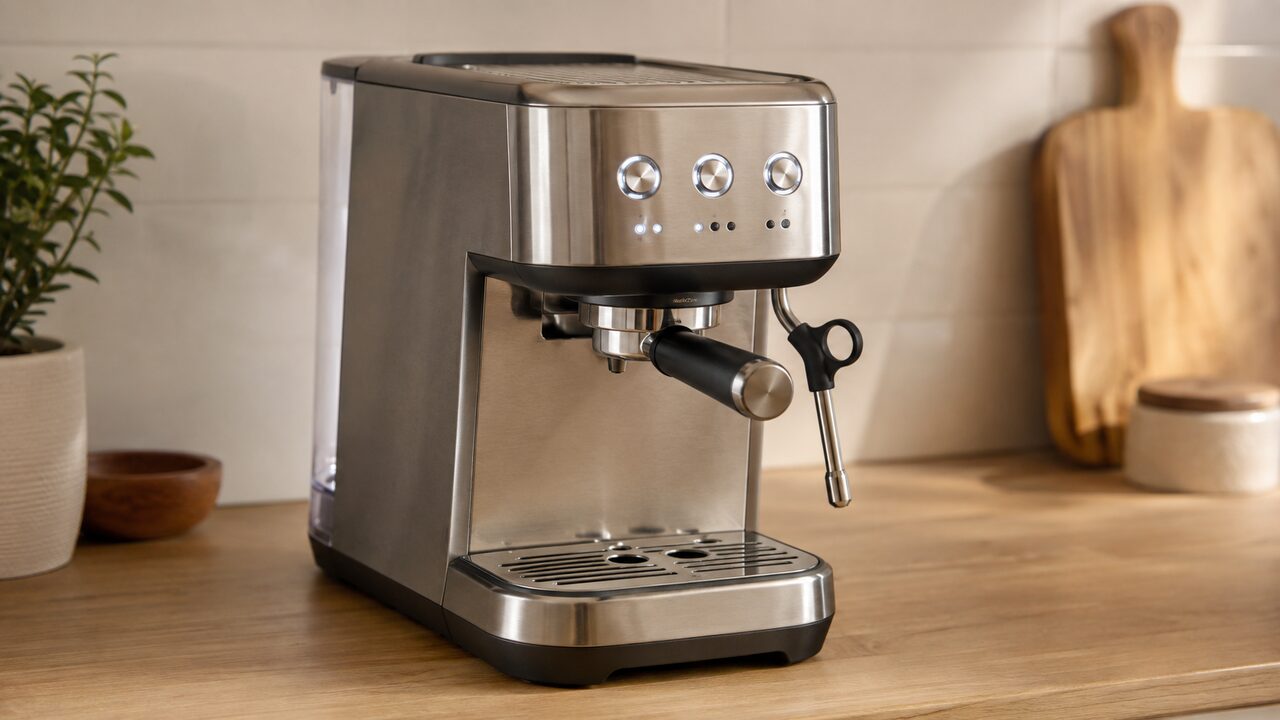
When Breville Bambino Plus flashing lights appear, identify the exact buttons and rhythm before pressing anything. Some flashes show normal extraction, steaming or programming. Others request group-head cleaning, descaling, a lowered steam wand or a steam-tip check. The current BES500 manual does not assign a fault code to every possible combination.
This guide is for the Breville Bambino Plus BES500 series, including the U.S. BES500BSS. It does not cover the original Bambino BES450, Barista Express models or touchscreen machines, which use different controls and alerts.
Stop and unplug the machine if the lights appear with water entering the housing, a wet cord or outlet, a burning smell, crackling, smoke, repeated breaker trips or unusual heat. A light pattern does not make an electrical or internal leak safe to test.
Bambino Plus light meanings at a glance
| What the lights do | Meaning | Correct next route |
|---|---|---|
| One selected shot button flashes during extraction | Normal 1 CUP or 2 CUP operation | Let the shot finish or press the flashing button to stop |
| 1 CUP and 2 CUP illuminate and flash after a 2-second hold | Shot-volume programming mode | Program or exit using the documented settings procedure |
| STEAM flashes while milk is texturing | Normal steam operation | Wait for automatic texturing or stop manual steam normally |
| 1 CUP and 2 CUP flash alternately | Cleaning is due, or the cleaning cycle is running | Use the cleaning disc and tablet procedure |
| 1 CUP and STEAM alternate with 2 CUP for 15 seconds | Descaling is due | Run the separate descale and rinse cycle |
| MILK TEMP and MILK FOAM animate downward | The steam wand remains raised | Lower the wand fully |
| MILK TEMP and MILK FOAM fully illuminate and flash; STEAM is off | A blocked wand was detected during texturing | Cool, clean and purge the steam tip |
| MILK TEMP and MILK FOAM flash together after a steam-function error | The steam system needs water and purging | Fill and reseat the tank, then perform the documented purge |
| 1 CUP, 2 CUP and STEAM are not illuminated | Low water is detected | Fill and correctly attach the tank |
| All five control areas flash together | Not decoded in the current U.S. BES500 manual | Do one safe external restart, then contact Breville if it returns |
Timing matters. The same buttons can be solid while a maintenance mode waits to start and then alternate while the cycle runs. Record a short video if the rhythm is difficult to describe; “all lights flashing” is often too vague to identify the documented state.
Confirm the model and record the pattern
Check the model label on the base only while the machine is unplugged, cool and dry. The Bambino Plus has three main buttons—1 CUP, 2 CUP and STEAM—plus separate MILK TEMP and MILK FOAM controls with three setting indicators each. The family should read BES500; finish and regional suffixes can vary.
- Note which named buttons are illuminated and which are dark.
- Decide whether they flash together, alternate between groups or animate from top to bottom.
- Record what happened immediately before the pattern: power-on, a shot, milk texturing, cleaning, descaling or an empty tank.
- Check whether the machine still responds to one normal button press. Do not try several undocumented combinations.
The current U.S./Canada BES500 instruction manual is the primary reference for the patterns below. Instructions copied from a Bambino BES450, Sage manual from another revision or a different Breville machine can change the meaning and button sequence.
Normal flashing during shots, settings and steam
A flashing button is not automatically a warning. During a preset shot, the selected 1 CUP or 2 CUP button flashes until the saved volume is delivered. Pressing that shot button again stops extraction. During manual pre-infusion and extraction, the selected button also flashes until you stop the shot.
Holding 1 CUP and 2 CUP together for 2 seconds makes both buttons illuminate and flash because the machine has entered shot-volume programming. That is a selected operating mode, not a cleaning alert. The crucial difference is context: programming follows your 2-second hold, while the cleaning request appears automatically and alternates the two buttons.
The STEAM button flashes while milk is texturing. MILK TEMP and MILK FOAM indicators also show the chosen automatic settings. If the machine is brewing and steaming normally, do not run a cleaning cycle simply because the active function button flashes. Use the complete Bambino Plus settings guide for shot-volume programming, manual extraction and the documented factory-volume reset.
1 CUP and 2 CUP flashing alternately
The BES500 counts extractions. After 200 extractions since the previous cleaning cycle, it alternately flashes 1 CUP and 2 CUP to request a group-head cleaning cycle. This is a coffee-residue flushing procedure using the cleaning disc and a cleaning tablet; it is not descaling.
| 1 CUP / 2 CUP state | What is happening | What to do |
|---|---|---|
| Alternate automatically in ready mode | Cleaning alert is due | Prepare the documented cleaning setup |
| Remain illuminated after entering cleaning mode | The machine is waiting to start | Press the documented start button once |
| Alternate after the cycle starts | The cleaning cycle is running | Leave the tank, tray, container and portafilter in place |
| Return to normal ready lights | The cycle has completed | Rinse the removable cleaning items |
Do not substitute descaling powder for a cleaning tablet or start guessing at button combinations. Follow the Bambino Plus cleaning-cycle instructions for the exact disc, tablet, container and start sequence. That page also covers a cycle that will not begin or appears not to finish.
1 CUP and STEAM alternating with 2 CUP
When the 1 CUP and STEAM buttons alternate with the 2 CUP button for 15 seconds, the Bambino Plus is requesting descaling. Pressing one of those buttons dismisses the alert and returns the machine to ready mode, but it does not remove scale or reset the need for the actual maintenance.
Once you intentionally enter descale mode, the display changes with the stage. 1 CUP and STEAM remain illuminated while the machine waits to start or resume. Those two buttons flash alternately while solution or rinse water is moving through the machine. The cycle includes a midpoint pause for fresh water, so stopped pumping does not necessarily mean it has finished.
Use the complete BES500 descaling guide for solution preparation, the correct off-mode combination and both rinse stages. Do not run the tablet cleaning cycle as a substitute; the two alerts and maintenance jobs are different.
MILK TEMP and MILK FOAM lights moving downward
A downward animation across the MILK TEMP and MILK FOAM indicators asks you to lower the steam wand. The Bambino Plus uses the lowered position for its automatic post-steam purge. Move the cooled wand down through its normal range without forcing it, keep the tip directed over the drip tray and allow the purge to finish.
If the wand is visibly fully lowered but the animation remains, switch the machine off, let it cool and check externally for milk residue or an object preventing normal movement. Do not remove the housing or bend the wand. A persistent false lower-wand alert needs Breville support or a qualified repairer.
MILK TEMP and MILK FOAM flashing with STEAM off
If milk texturing stops, the STEAM light goes out and both MILK TEMP and MILK FOAM fully illuminate and flash, the BES500 has detected a blocked steam wand. Stop restarting steam against the blockage. Pressurized steam and hot liquid may still be released after the machine is switched off.
- Let the wand and tip cool before touching or removing the tip.
- Use the supplied steam-tip cleaning tool stored beneath the water tank; do not enlarge the holes with a random needle or drill.
- Reassemble the documented removable tip correctly, lower the wand and complete a manual purge over the tray.
- Stop and arrange service if the alert returns with a clean, correctly fitted tip or water appears higher on the wand or housing.
For the complete safe sequence and for weak steam, no steam or automatic milk texturing that stops early, use the Bambino Plus steam-wand diagnosis.
Milk temperature and foam lights flashing together after a steam error
The troubleshooting table in the current manual separately lists the froth and temperature lights flashing together for a steam-function error, with an empty tank as a possible cause. Fill the tank with potable water, reinstall it flush against the rear and confirm the three main buttons illuminate.
With the wand directed safely over the tray, the manual then directs holding STEAM for 3 seconds to purge the system. This 3-second troubleshooting purge is different from randomly holding buttons to reset the machine. If the tank is correctly fitted and the same pattern returns after one purge, stop repeating it and follow the steam-wand guide or contact Breville.
The three main buttons are not illuminated
The low-water state is easy to misreport as a flashing-light fault. When the BES500 detects insufficient water, the 1 CUP, 2 CUP and STEAM buttons are not illuminated. Fill the tank below MAX and seat it completely; once sufficient water and correct attachment are detected, the buttons illuminate and the machine can be used.
If a full correctly seated tank does not restore the three buttons, separate a water-detection or delivery symptom from total power loss. Do not open the base to inspect a float, inlet, fuse or control board. Use the Bambino Plus water-flow checks if the panel responds but water does not arrive, or return to the BES500 troubleshooting hub if the whole machine remains dark.
All five lights flashing together
The current U.S./Canada BES500 manual does not decode an all-five-lights pattern. Do not label it a confirmed temperature-sensor, milk-sensor, control-board or descaling code based only on forum comments. Do not enter a supposed hidden reset or buy an internal part from the pattern alone.
- If the controls respond, switch the machine off normally. Otherwise unplug it without reaching across water.
- Allow the machine to cool, then fill and firmly reseat the tank and lower the steam wand.
- Check that the exterior, counter, cord and outlet are dry and that no burning smell, unusual heat or visible damage is present.
- Reconnect and observe once. Record which lights flash and whether they move together or in groups.
- If the same undocumented pattern returns or the controls stay locked, unplug and contact Breville with the video, full model suffix and serial number.
A successful restart does not prove an internal fault is repaired. If the pattern returns, do not keep clearing it to operate the machine.
Lights after an interrupted cleaning or descale cycle
If the machine began a documented maintenance cycle before the lights appeared, identify that cycle from the buttons you intentionally used. Do not switch from cleaning chemicals to descaler, empty the tank mid-cycle or try a factory-volume reset to escape a maintenance state.
| Observed state | Likely stage | Use this owner |
|---|---|---|
| 1 CUP and 2 CUP solid after entering cleaning mode | Waiting for the cleaning cycle to start | Cleaning-cycle guide |
| 1 CUP and 2 CUP alternating during the procedure | Cleaning cycle in progress | Cleaning-cycle guide |
| 1 CUP and STEAM solid during descaling | Waiting to start or resume after the refill pause | Descaling guide |
| 1 CUP and STEAM alternating during descaling | Solution or rinse stage is running | Descaling guide |
| A different pattern after one complete documented cycle | Not enough evidence to name the cause | Breville support |
Let the specialist procedure define the next button press. Repeating or interrupting a cycle can make the light history harder to interpret without fixing the underlying maintenance need.
What not to do with unexplained flashing lights
- Do not hold random two- or three-button combinations from another model.
- Do not call every three-button pattern a descale alert; rhythm and grouping matter.
- Do not use a factory shot-volume reset as a general fault reset.
- Do not repeatedly restart steam against a blockage warning.
- Do not open the housing, bypass a sensor or fit a resistor to suppress an alert.
- Do not order a heater, probe, valve, board or internal wiring part from the lights alone.
The panel reports a state; it does not provide a complete internal diagnosis. A documented owner action may clear a maintenance or steam alert, but a persistent undocumented pattern belongs with Breville or a qualified repairer.
When to contact Breville
- An undocumented all-lights pattern returns after one safe external restart.
- The machine ignores normal controls after the correct cleaning, descale or steam procedure finishes.
- The raised-wand animation remains with the wand fully lowered and unobstructed.
- The steam blockage alert returns with a cool, clean and correctly fitted tip.
- The lights accompany a leak, electrical smell, unusual heat, breaker trip or damaged cord.
Record the BES500 suffix, serial number, purchase date, exact light rhythm and the action immediately before it appeared. Use Breville’s current Bambino Plus product and support hub for registration, warranty and repair routes.
Breville Bambino Plus flashing lights FAQs
Why are the 1 CUP and 2 CUP lights flashing alternately?
The BES500 requests group-head cleaning after 200 extractions by alternately flashing 1 CUP and 2 CUP. Use the cleaning disc and tablet cycle. If the same two lights alternate after you start that cycle, it normally means the cleaning procedure is running.
What do the three main buttons flashing mean?
Check the rhythm rather than counting only three buttons. The documented descale alert has 1 CUP and STEAM alternating with 2 CUP for 15 seconds. If 1 CUP, 2 CUP and STEAM all flash together in another rhythm, do not assume the same meaning; record it and compare it with the manual.
Why do the milk temperature and foam lights flash?
A downward animation means the wand needs to be lowered. If both control groups fully illuminate and flash while STEAM is off after texturing stops, the machine detected a blocked wand. Both lights flashing together can also accompany a steam-function error or empty tank, which the manual addresses with water and a purge.
What does it mean when all five lights flash?
The current U.S./Canada BES500 manual does not assign a meaning to an all-five-lights pattern. Perform only the safe external restart described above. If the pattern returns, contact Breville rather than applying an undocumented reset or internal repair.
Why are the lights still flashing after cleaning?
Confirm that you ran the cleaning-disc and tablet cycle, not descaling, and allowed it to return to ready mode. Alternating lights during the procedure can be normal. If the alert immediately returns after one complete documented cycle, do not keep rerunning it; verify the setup once and contact support if it persists.
Can I reset the Bambino Plus to clear flashing lights?
The documented factory reset restores saved espresso volumes; it is not a universal error reset and does not replace cleaning, descaling or steam-tip care. Identify the pattern first and complete its correct procedure. Do not use undocumented button combinations to suppress a recurring alert.
The reliable way to decode Bambino Plus lights is to name the buttons, rhythm and operating moment. Normal function flashes need no repair; alternating 1 CUP/2 CUP calls for cleaning; the separate 15-second three-button sequence calls for descaling; milk-control patterns point to wand position or steam checks; and an undocumented all-lights pattern belongs with Breville if it returns.