
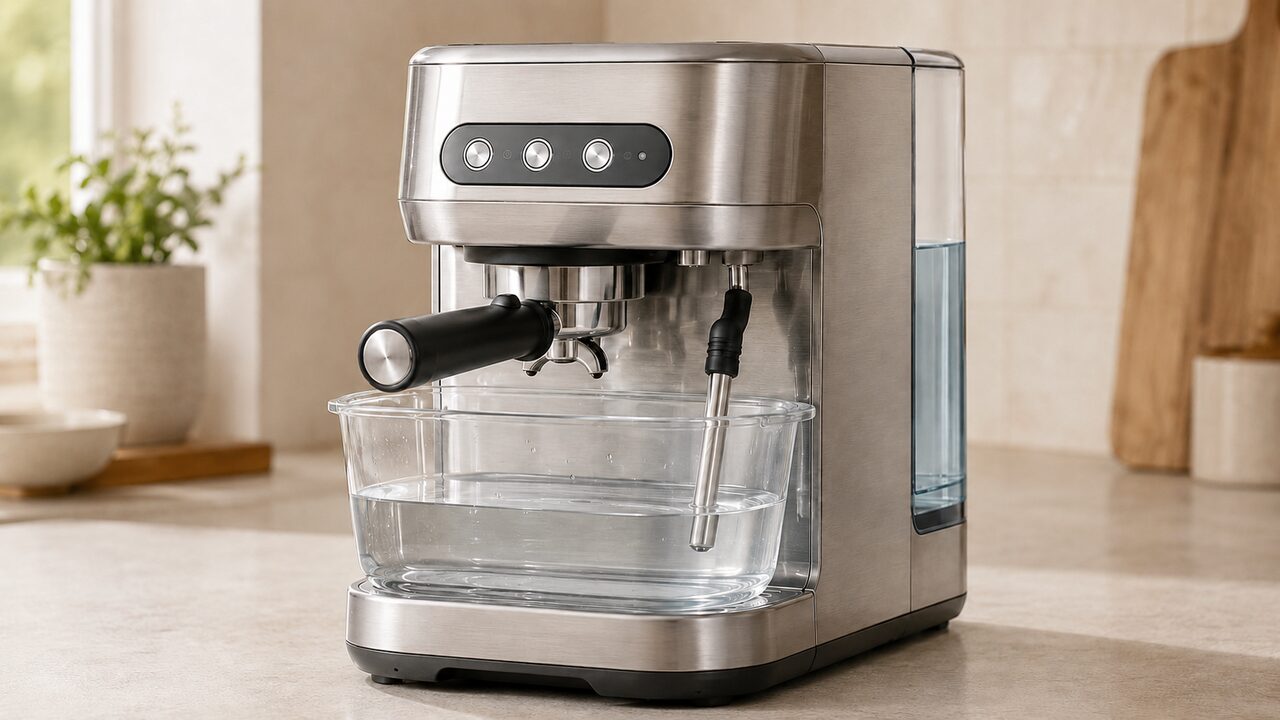
To complete Breville Bambino Plus descaling, remove the water filter, fill the tank to the DESCALE line and add a compatible descaling agent. Empty and reinstall the drip tray, place a 2 L / 68 fl oz container beneath the brew outlet and steam wand, switch the machine off and let it cool completely. Hold 1 CUP and STEAM together for 5 seconds, press either illuminated button to start, and complete both the solution stage and the clean-water rinse stage.
This procedure is for the Breville Bambino Plus BES500 series, including the U.S. BES500BSS. It does not apply to the original Bambino BES450 or a Barista Express, which use different alerts and button sequences. If you are trying to identify a general fault rather than perform maintenance, begin with the Bambino Plus BES500 troubleshooting guide.
Important: Descaling releases hot water and may release hot steam. Use a stable heat-safe container, keep hands away from both outlets and let the machine cool completely before entering descale mode. Never immerse the machine, cord or plug, and do not open the housing.
Confirm that the Bambino Plus needs descaling
The BES500 uses different alerts for mineral scale, coffee-oil cleaning and steam-wand problems. Identify the pattern before adding any product to the machine.
| Light pattern | What it means | Correct action |
|---|---|---|
| 1 CUP and STEAM alternate with 2 CUP for 15 seconds | Descaling is due | Run the tank-based descale and rinse cycle on this page |
| 1 CUP and 2 CUP flash alternately | Group-head cleaning is due | Use the cleaning disc and tablet cycle |
| MILK TEMP and MILK FOAM lights flash after steaming stops | Steam-wand blockage or steam-function issue | Diagnose the wand before descaling |
Pressing any button during the 15-second descale alert cancels the alert and returns the machine to ready mode. That does not remove scale or complete the maintenance. To start the actual cycle, prepare the machine, turn it off and use the 5-second 1 CUP plus STEAM combination described below.
If only 1 CUP and 2 CUP are alternating, do not put descaler in the tank. Follow the separate Bambino Plus cleaning-cycle instructions. A cleaning tablet removes coffee residue through the group head; a descaling agent removes mineral deposits from the internal water path.
What you need before starting
- A descaling agent approved for espresso machines and compatible with the Bambino Plus
- Fresh potable water for the solution and rinse stages
- A stable heat-safe container holding at least 2 L / 68 fl oz
- An empty, clean and correctly installed drip tray
- Enough uninterrupted time to let the machine cool and finish both stages
The current U.S. manual specifically says to remove the water filter before adding descaling powder. Do not dissolve a cleaning tablet in the tank, put descaler in the portafilter or combine cleaning chemicals. Follow the amount and handling directions supplied with the descaling product.
Breville’s official U.S. product information lists the BES007 descaler as compatible with the Bambino Plus BES500. The current Amazon U.S. listing is the same Breville BES007 product rather than a generic acid cleaner.
Breville Bambino Plus descaling steps
These steps follow the current U.S. BES500 instruction manual. Read the complete sequence before starting so the normal midpoint pause is not mistaken for a failure.
- Remove the water filter. Lift out the tank, remove its filter and keep the filter away from the descaling solution.
- Prepare the tank. Fill it with fresh water to the marked DESCALE line, then add the descaling agent according to the product directions. Refit the tank securely against the machine.
- Empty the drip tray. Clean it if necessary and slide it fully back into position. The tray must be installed during descaling.
- Position the collection container. Center a 2 L / 68 fl oz heat-safe container so it catches discharge from both the brew outlet or portafilter area and the steam wand. There should be no coffee puck, cleaning disc or tablet involved.
- Turn the machine off. Press 1 CUP and STEAM simultaneously. Confirm that the control lights are off, then allow the Bambino Plus to cool completely.
- Enter descale mode. With the machine off, press and hold 1 CUP and STEAM together for 5 seconds.
- Check for the ready signal. The 1 CUP and STEAM buttons should illuminate. This means descale mode is ready but has not started pumping yet.
- Start the solution stage. Press either 1 CUP or STEAM once. The two buttons flash alternately while the machine moves solution through its water paths.
- Wait for the automatic pause. Do not press buttons, move the container or remove the tank while the active stage is running. The cycle pauses after the descaling solution has been used.
- Prepare the clean-water rinse. During the designed pause, refill the tank with fresh water to MAX. Empty the waste container carefully and put both parts back in position.
- Resume the cycle. When 1 CUP and STEAM remain illuminated, press either one once. The machine now runs its rinse stage.
- Wait for completion. At the end, 1 CUP and STEAM flash alternately and the machine enters standby. Do not treat the midpoint pause as completion.
- Rinse the removable parts. Empty the waste container, rinse the water tank and drip tray thoroughly, dry them and reinstall them. Refit the water filter only after the tank is free of descaling solution.
Breville also provides an official U.S. Bambino Plus descale tutorial. Use the BES500 instructions, not a Bambino BES450 video that happens to use a similar product name.
What the machine should do during the cycle
| Stage | Normal indication | Your action |
|---|---|---|
| Descale mode entered | 1 CUP and STEAM stay illuminated | Press either button once to begin |
| Solution stage running | 1 CUP and STEAM flash alternately | Wait and keep the tank and container in place |
| Midpoint pause | Pumping stops; the machine waits for fresh water | Fill the tank to MAX, empty the container and reinstall both |
| Ready to rinse | 1 CUP and STEAM stay illuminated again | Press either button once |
| Cycle complete | 1 CUP and STEAM alternate, then the machine enters standby | Rinse and dry the removable parts |
Pump noise, changing flow between outlets and water collecting in the drip tray can occur as the machine routes liquid through different paths. The important signs are continued liquid movement, the expected midpoint pause and the final return to standby. Water leaking from the housing, a burning smell, electrical tripping or uncontrolled steam is not normal.
Why the water tank warning seems contradictory
The manual warns that the tank should not be removed or completely emptied during descaling, but its rinse instructions also tell you to refill the tank after the solution stage. The practical distinction is the machine’s designed pause: keep the tank installed and supplied with liquid while either stage is actively pumping; refill it only when the cycle has paused and is waiting for fresh water.
Do not let the pump continue against an empty or badly seated tank. If the solution stage appears to have stopped unusually early, first determine whether the machine has reached its normal refill pause before moving anything.
If descale mode will not start
- Confirm the exact model. The front label or rating label should identify the Bambino Plus BES500 series. Do not use this combination on a BES450.
- Return to ready mode if necessary. If you pressed a button while the 15-second alert was showing, you only canceled the alert. That is not descale mode.
- Switch the machine fully off. Press 1 CUP and STEAM together and wait until all control lights are off. Starting from ready mode is the most common reason the 5-second entry hold is misread.
- Use the correct pair. Hold 1 CUP and STEAM—not 1 CUP and 2 CUP, and not 2 CUP and STEAM—for a full 5 seconds.
- Check tank level and seating. The prepared tank must contain solution to the DESCALE line and sit flush against the rear of the machine.
- Allow complete cooling. If the machine has just brewed or steamed, turn it off and give it time to cool before repeating the documented entry sequence once.
When entry succeeds, 1 CUP and STEAM remain illuminated. You still have to press either one to begin pumping. Do not try undocumented button combinations, repeatedly power-cycle the machine or enter the cleaning-tablet cycle as a supposed reset. If the correct off-state sequence still cannot open descale mode, contact Breville support.
If the cycle pauses, stops or will not finish
It stopped after using the descaling solution
That is the normal transition to the rinse stage. Fill the tank to MAX with fresh water, empty and replace the 2 L container, wait for 1 CUP and STEAM to illuminate, then press either button once. Simply walking away at this point leaves the cycle incomplete.
The buttons are illuminated but nothing is pumping
Steady 1 CUP and STEAM lights are a prompt, not an active stage. Press either one once. If both buttons then alternate but no liquid moves, stop repeated dry-pump attempts and check that the tank is full enough, correctly seated and not blocked by a misplaced filter or part.
The tank ran dry or was removed while pumping
Stop pressing controls. Turn the machine off, let it cool and reseat a correctly filled tank. Because the documented cycle was interrupted, do not assume that restarting with another full dose of descaler is harmless. Ask Breville whether to resume, rinse or restart for your exact interruption point.
The descale reminder returns
First confirm that you completed the clean-water rinse and reached standby. Canceling the original 15-second alert, running only water in ready mode or completing the cleaning-tablet cycle does not equal a finished descale cycle. If the correct two-stage cycle completed but the same reminder immediately returns, document the light pattern and contact Breville rather than searching for an undocumented reset.
When descaling will not fix the problem
Scale can reduce brewing flow, brewing temperature, machine power and espresso quality, so a due descale cycle may improve several outlets. It is not a universal repair for every weak-flow or steam symptom.
| Symptom after descaling | More relevant next check |
|---|---|
| Steam is weak but brew water flows normally | Clean and purge the cooled steam tip; use the steam-wand guide |
| No water leaves any outlet | Check tank seating and broader water-flow causes; avoid prolonged dry pumping |
| Espresso runs too fast or slowly but plain-water flow is normal | Check grind, dose, tamp and basket condition rather than repeating descaler |
| Water escapes from the housing | Unplug when safe and arrange service; do not open the case |
| The machine has no lights or response | Follow power and outlet checks; descaling cannot correct an electrical fault |
For a wand-only symptom, use the Bambino Plus steam-wand troubleshooting guide. Do not keep adding descaler to chase a blockage at the external tip or a fault that requires an authorized repairer.
When to stop and contact Breville
- The correct 1 CUP and STEAM hold will not enter descale mode from a fully off, cooled machine.
- The pump runs but no liquid moves after the tank has been filled and seated correctly.
- The cycle repeatedly freezes before the normal refill pause or cannot resume after fresh water is added.
- The same descale alert immediately returns after a verified two-stage completion.
- Water or steam escapes from the housing, a breaker or GFCI trips, the cord is damaged, or there is unusual heat or a burning smell.
Record the full model number and a short video of the exact lights before contacting support. Do not remove covers, test live internal parts or bypass temperature and water-level protections on a 120V appliance that handles pressurized hot water and steam.
Bambino Plus descaling FAQs
Which buttons start descaling on the BES500?
Turn the machine off, let it cool, then hold 1 CUP and STEAM together for 5 seconds. When those two buttons remain illuminated, press either one once to begin. The 1 CUP plus 2 CUP combination belongs to the separate group-head cleaning cycle.
Do I remove the water filter before descaling?
Yes. The current U.S. BES500 manual says to remove the filter before adding descaling powder. Keep it out during the solution stage, rinse the tank thoroughly after completion and reinstall the filter only into clean water.
Can I use vinegar in a Breville Bambino Plus?
The U.S. manual instructs owners to add a descaling agent and Breville sells a product specifically listed for the BES500. It does not specify household vinegar in this procedure, so use a compatible espresso-machine descaler rather than substituting an unlisted concentration.
Can I descale before the reminder appears?
The manual provides an off-state entry sequence, but unlike its cleaning-cycle instructions it does not explicitly label descaling as an early-entry option. More chemical cycles are not automatically better. If no reminder is active and descale mode will not open, do not force it with undocumented combinations; wait for the prompt or ask Breville what is appropriate for your water conditions.
How long does the descale cycle take?
Breville’s current U.S. manual gives the sequence but not a fixed completion time. Allow an uninterrupted maintenance window for cooling, the solution stage, the refill pause and the clean-water rinse. Judge completion by the final alternating 1 CUP and STEAM lights followed by standby, not by a timer.
Why did the machine stop halfway through?
A pause after the solution is normal. It is waiting for you to refill the tank to MAX with fresh water, empty and replace the waste container, and press either illuminated button. The second stage rinses the internal water path.
Does the cleaning cycle also descale the machine?
No. The cleaning cycle sends a tablet-based cleaning process through the group-head path, while descaling sends a mineral-removal solution from the tank through the machine and then follows it with fresh water. Each has its own alert, materials and controls.
Should I run another water cycle afterward?
The documented cycle already includes a clean-water rinse. Complete that stage, wait for standby, then rinse the tank and drip tray. If solution remains detectable after following both Breville and product directions, do not brew coffee until Breville confirms the appropriate additional rinse for the product used.
The key is to complete the BES500’s two-stage process without confusing its midpoint pause with the end: descaling solution to the DESCALE line, 1 CUP plus STEAM from the off state, fresh water to MAX at the pause, then a final rinse through to standby.