
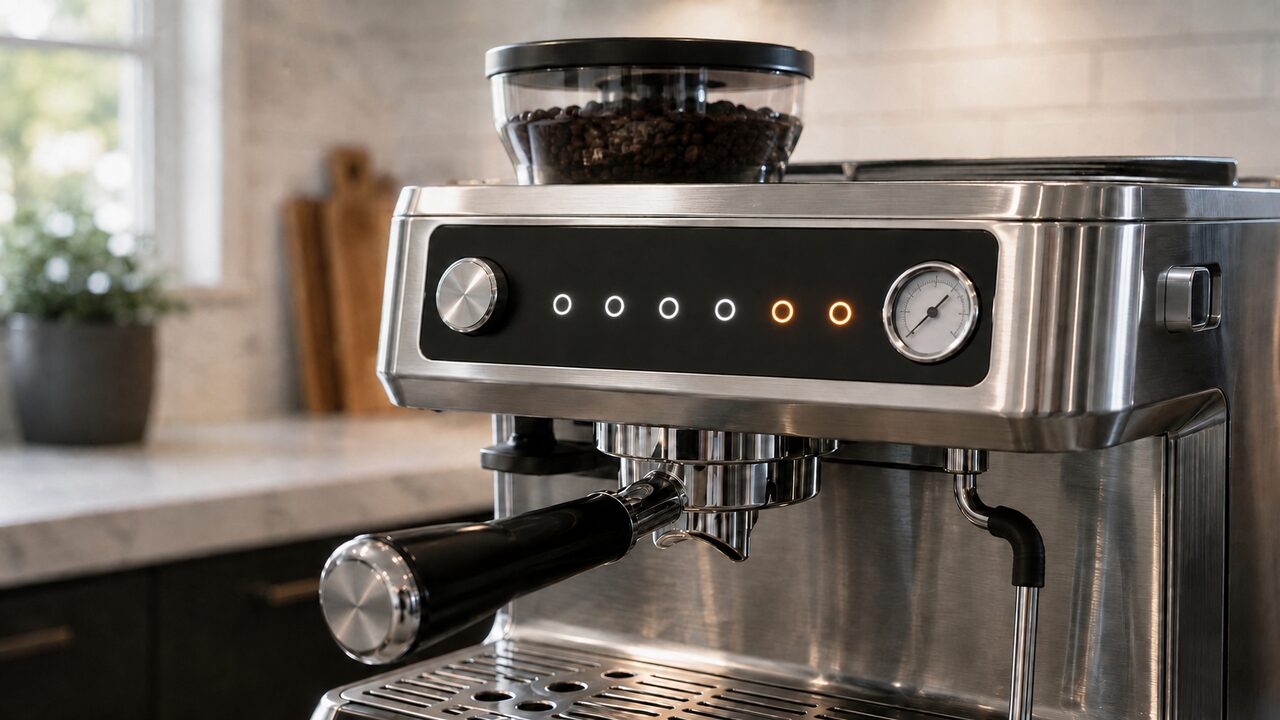
Breville Barista Express lights meaning depends on three details: which light is active, whether it is flashing or solid, and when the pattern appears. On the BES870 and BES870XL, a flashing CLEAN / DESCALE light requests the cleaning cycle, while a solid CLEAN / DESCALE light requests descaling. A flashing POWER light normally means the machine is heating, and flashing FILTER SIZE lights point to a bean hopper that is not locked correctly.
This guide covers the original Barista Express BES870 series, including the BES870XL sold in North America. It does not apply to the Barista Express Impress BES876 or touchscreen models, which use different controls. The meanings below follow the current official U.S. BES870 instruction manual.
Safety first: Hot water, steam and metal parts can cause burns. Return the STEAM/HOT WATER dial to STANDBY before handling nearby parts. Switch off and unplug the machine before removing the bean hopper, and never bypass the hopper interlock or open the outer housing.
Breville Barista Express lights meaning: quick reference
| Light pattern | What it means | What to do |
|---|---|---|
| Regular control-panel lights are solid | The machine has reached operating temperature and is in STANDBY | Use the machine normally |
| POWER flashes at startup or after waking | The machine is heating | Wait until POWER stops flashing and the panel illuminates |
| POWER flashes slowly after inactivity | SLEEP mode has started after 1 hour | Press any button except POWER to wake the machine, then let it reheat |
| No lights after longer inactivity | AUTO OFF has started after 3 hours | Press POWER to start the machine again |
| FILTER SIZE LEDs flash | The bean hopper is not attached or locked correctly | Switch off, unplug, reseat and fully lock the hopper |
| CLEAN / DESCALE flashes | The cleaning-tablet backflush cycle is due | Run the documented cleaning cycle, not a descale |
| CLEAN / DESCALE stays solid | Descaling is due | Run the complete descale and rinse sequence |
| STEAM/HOT WATER flashes after selecting a function | The machine is heating for steam or hot water | Wait until the light stops flashing |
| STEAM/HOT WATER flashes at switch-on and the machine does not heat | The dial is not in STANDBY | Return the dial to the center STANDBY position |
| STEAM/HOT WATER flashes after 5 minutes of steam | The continuous-steam safety limit has been reached | Return the dial to STANDBY |
| PROGRAM flashes after you press it | Shot-volume programming mode is active | Complete the intended setting or restart without entering the mode |
| 1 CUP flashes during an intentional descale | The coffee circuit is being descaled | Let that documented stage finish |
Why the POWER light is flashing
A normally flashing POWER light is usually not a fault. It flashes after switch-on while the thermocoil heats to brewing temperature. A pumping sound during startup or reheating can also be normal. The machine is ready when the POWER light stops flashing and the regular control-panel lights illuminate.
POWER flashing slowly
A slow flash has a different meaning: the machine has entered SLEEP mode after 1 hour without use. Breville instructs the user to press any button except POWER to reactivate it. POWER then flashes at the normal rate while the machine reheats.
POWER light completely off
After 3 hours without activity, the BES870 switches to AUTO OFF. Press POWER to restart it. If the machine has not been idle, confirm that the plug and outlet work before treating the absence of lights as an internal fault.
What flashing FILTER SIZE lights mean
Flashing SINGLE and DOUBLE FILTER SIZE LEDs mean the bean hopper is not correctly attached or locked. On the BES870, this is a hopper-interlock warning—not a general programming code.
- Press POWER to switch off the machine and unplug it.
- Unlock and remove the bean hopper.
- Clear loose beans and grounds from the hopper base and locking area without putting fingers near the burrs.
- Reinstall the hopper so it sits fully down, then turn it completely to LOCK.
- Reconnect the machine and check the lights once.
A solid SINGLE or DOUBLE FILTER SIZE light simply shows the selected basket size. If the LEDs continue flashing with an undamaged, correctly seated hopper, do not wedge or bypass the safety interlock. Follow the Barista Express grinder diagnosis and arrange service if the warning remains.
CLEAN / DESCALE: flashing means cleaning, solid means descaling
This shared indicator causes the most confusion because its two states request different maintenance. Use the complete Barista Express cleaning and descaling guide for the correct button sequence, preparation and rinse steps.
CLEAN / DESCALE light flashing
Flashing means the approximately five-minute cleaning cycle is due. This is a backflush for the brewing path using the 1 CUP basket, supplied cleaning disc and one cleaning tablet. It removes coffee oils; it does not remove mineral scale.
CLEAN / DESCALE light solid
Solid means the full descale is due. Descaling treats mineral buildup in the coffee, steam and hot-water paths and requires descaling solution followed by the documented fresh-water rinse. A cleaning tablet is not a substitute for descaler.
Running the wrong procedure may leave the indicator on because the requested maintenance has not been completed. If the light remains after the correct cycle, first confirm that every stage finished as documented before assuming that the indicator itself has failed.
Why the STEAM/HOT WATER light is flashing
The timing of this light separates normal heating from a control-position problem.
- After selecting STEAM: the thermocoil is heating to steam temperature. Condensed water may briefly purge from the wand and the pump may pulse. Wait until the light stops flashing before judging steam output.
- After selecting HOT WATER: the machine is heating the water. The outlet is ready when the light stops flashing.
- Immediately after switch-on, with no normal heat-up: the STEAM/HOT WATER dial was left outside STANDBY. Return it to the center position so normal heating can begin.
- After 5 minutes of continuous steaming: the machine has automatically disabled steam. Return the dial to STANDBY rather than treating the flash as a blocked wand.
If the light stops flashing but the wand still produces no usable steam, or the output remains unusually weak, use the steam-wand troubleshooting steps to check the tank, dial, cooled tip and maintenance status.
What the 1 CUP, 2 CUP and PROGRAM lights mean
Solid 1 CUP and 2 CUP buttons are part of the normal ready panel. Their meaning changes only after you deliberately start an extraction, programming sequence, temperature mode or descale. Use the BES870 settings guide before changing a programmed shot volume or temperature.
- PROGRAM flashing: pressing PROGRAM once starts shot-volume programming mode. The flash is confirmation of that mode, not a fault.
- Advanced temperature mode: one illuminated control indicates the currently selected temperature offset. The machine returns to STANDBY if no choice is made within five seconds.
- Descale mode ready: POWER, 1 CUP, CLEAN / DESCALE and STEAM/HOT WATER illuminate together after the machine heats.
- 1 CUP flashing during descale: the coffee-circuit stage is running. The current U.S. manual says this stage takes about 25 seconds and the light becomes solid when it finishes.
These special combinations are meaningful only if you intentionally entered the corresponding mode. The manual does not define every group of flashing buttons as a universal error code. If an unexpected pattern begins after holding several controls, return the dial to STANDBY, switch the machine off normally and restart it without using another button combination.
When the lights look normal but the machine still does not work
The indicator panel does not diagnose every problem. If the machine reaches its normal ready state but no water comes through the group head or hot-water outlet, use the two-outlet water-flow test. If water flows but the gauge is unusually low, high or motionless during a prepared shot, follow the Barista Express pressure guide.
For an unfamiliar combination of symptoms rather than one specific light, start with the complete BES870 troubleshooting guide. It separates power, water, grinder, steam, pressure and leak faults without turning one indicator into a diagnosis it cannot provide.
When to stop troubleshooting and request service
- The machine has no lights or response on a confirmed working outlet and is not simply in AUTO OFF.
- POWER continues flashing without heat or a ready state after the dial has been returned to STANDBY.
- FILTER SIZE continues flashing with the correct hopper fully seated and locked.
- A documented maintenance light immediately returns after the correct complete procedure.
- The controls are unresponsive, the pattern is not documented for your exact model, or normal operation cannot be restored externally.
- There is smoke, a burning smell, sparking, unusual heat, liquid entering the housing or a tripped breaker.
Do not open the housing to test wiring, sensors, the thermocoil or the control board. Use Breville Consumer Support or a qualified service provider, especially while the machine is under warranty.
Barista Express light FAQs
Why is the CLEAN light flashing on my Breville Barista Express?
The cleaning-tablet backflush cycle is due. Use the cleaning disc and tablet procedure for your BES870 manual. Do not descale merely because this light is flashing.
What does a solid CLEAN / DESCALE light mean?
A solid light means descaling is due. Use the documented descale solution, coffee-circuit, steam, hot-water and fresh-rinse stages rather than the cleaning-tablet cycle.
Why is the POWER button blinking?
A regular flash means the machine is heating. A slow flash after 1 hour of inactivity means SLEEP mode. If the panel is completely off after 3 hours, AUTO OFF is normal.
Why are both FILTER SIZE lights flashing?
The bean hopper is not correctly attached or locked. Switch off and unplug the machine, clear debris from the locking area, then reinstall and fully lock the hopper.
Why does the STEAM/HOT WATER light flash when I turn the machine on?
If it flashes immediately at switch-on and the machine does not begin normal heating, the dial is outside STANDBY. Return the dial to its center position.
Is it normal for all the regular button lights to stay on?
Yes. After the machine reaches operating temperature, the POWER light stops flashing and the regular control-panel buttons illuminate to show that the machine is in STANDBY and ready.
What if all the lights are flashing at once?
The BES870 manual does not define “all lights flashing” as one universal fault. First check whether the pattern began after entering cleaning, descale, shot-programming or temperature mode. If it appeared during an ordinary startup, return the dial to STANDBY, switch the machine off normally and restart it without holding other buttons. Request service if the unexplained pattern returns and the controls remain unavailable.
The reliable rule is to read the pattern in context: normal POWER flashing means heat-up, slow POWER flashing means sleep, FILTER SIZE flashing points to the hopper, CLEAN / DESCALE flashing calls for cleaning, a solid maintenance light calls for descaling, and STEAM/HOT WATER flashing must be matched to the dial position and timing.