
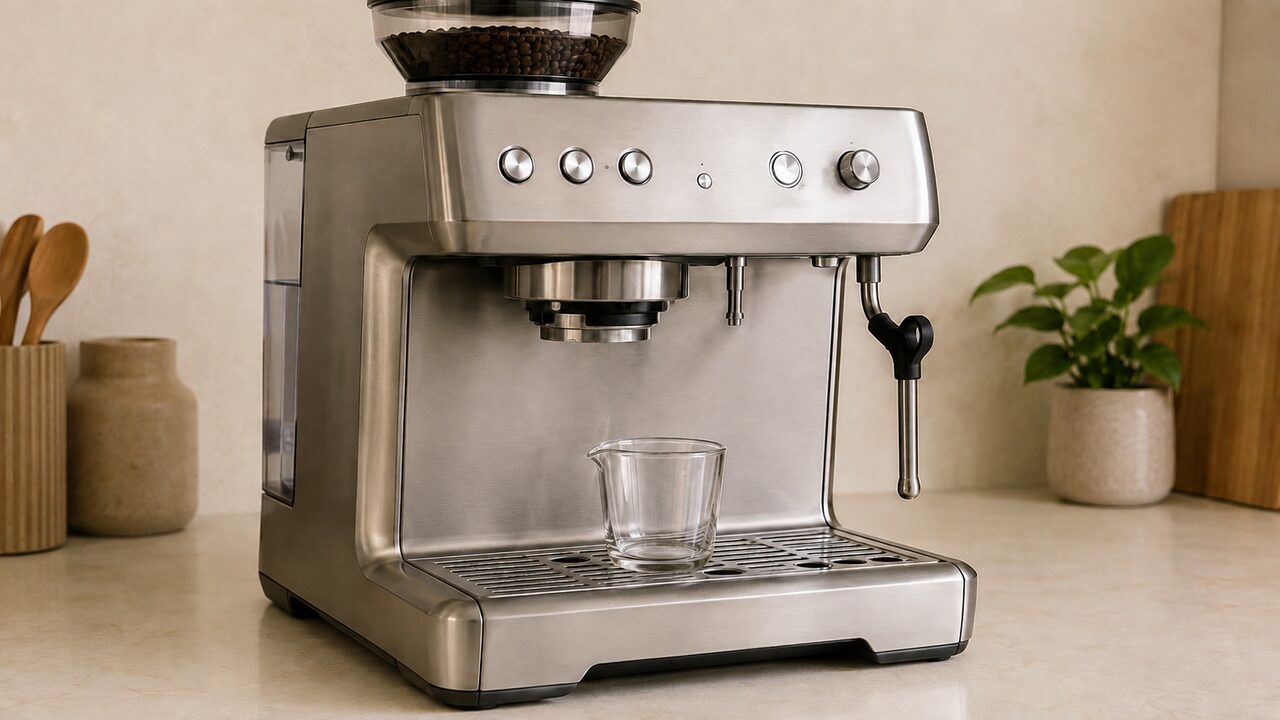
If your Breville Barista Express is not pumping water, remove the portafilter and test the empty group head and hot-water outlet separately. If neither outlet works, first wait for the machine to finish heating, fill and firmly reseat the water tank, then try to prime the water circuit through the hot-water function. If water flows normally from the empty group head but stops when coffee is installed, the pump is moving water and the problem is more likely the grind, dose, tamp or filter basket. Weak flow from both outlets points more strongly to air in the circuit or mineral scale.
If water is not coming out of your Breville Barista Express, check the group head and hot-water outlet separately. Water flowing from one outlet but not the other points to a different problem than a machine that cannot move water anywhere.
This guide covers the Breville Barista Express BES870 series, including the BES870XL sold in North America. It does not cover the Barista Express Impress BES876 or the Barista Touch BES880, which use different controls and water systems.
If the whole machine is unresponsive rather than only the water flow, start with the complete Barista Express BES870 troubleshooting guide instead.
Safety first: Hot water, steam and the group head can cause burns. Keep the water tank filled while testing, never remove the portafilter during extraction and return the STEAM/HOT WATER dial to STANDBY before moving cups or touching nearby parts. Switch off, unplug and let the machine cool before cleaning the shower screen or other removable parts. Do not open the outer housing or attempt pump, solenoid, valve, thermocoil or wiring repairs.
Run this two-outlet water-flow test first
Testing without coffee prevents a blocked basket or overly resistant puck from being mistaken for a failed pump.
- Remove the portafilter. Empty the drip tray and place a cup beneath the group head.
- Check the tank. Fill it with fresh, cold water to the MAX mark, reinstall it and push it down completely so it locks into place.
- Start in STANDBY. Make sure the STEAM/HOT WATER dial is centered in STANDBY. Switch on the machine and wait until the POWER light stops flashing and the control-panel lights illuminate.
- Test the empty group head. Press the 2 CUP button once and observe whether water comes through the shower screen. Press the button again if you need to stop the test early.
- Test the hot-water outlet. Place a heat-safe cup beneath the dedicated hot-water outlet and turn the dial fully to HOT WATER. Allow for the HOT WATER light to finish flashing before judging the result, then return the dial to STANDBY.
- Listen without guessing. A pulsing pump sound during extraction is normal on the BES870. Record whether the pump is silent, sounds normal or becomes unusually loud or strained, but do not keep repeating a dry test.
What the test result means
| Test result | Most useful conclusion | Next branch |
|---|---|---|
| No water from the group head or hot-water outlet | The machine has a shared supply, readiness, air, scale or internal delivery problem | Check heat-up, tank seating and priming; descale only if the machine can circulate water |
| Hot water works, but the empty group head stays dry | The tank and pump can move water, narrowing the fault to the coffee-water path | Check the shower screen and maintenance state, then stop at the internal service boundary |
| The group head works, but the hot-water outlet stays dry | The main supply works; the hot-water control or outlet path is the narrower suspect | Confirm dial operation and heat-up, then descale or request service |
| Water flows without the portafilter but not through coffee | This is a puck, basket or extraction-resistance problem rather than general no-water delivery | Use the pressure and puck-flow diagnosis |
| Both outlets are weak or intermittent | Tank seating, air in the circuit or mineral scale can restrict the shared supply | Reseat, prime and check whether descaling is due |
| Group head and hot water work, but steam does not | The general water supply is working and the fault belongs to the steam system | Use the steam-wand diagnosis |
Check readiness and water-tank seating
The current U.S. BES870 manual gives three checks before any cleaning or repair: the machine must be at operating temperature, the tank must contain water and the tank must be fully inserted and locked.
- Return the dial to STANDBY. If it is left in STEAM or HOT WATER when the machine starts, normal heat-up may not begin as expected.
- Wait for the ready lights. Do not diagnose the outlet while the POWER light is still flashing. The manual says the POWER light stops flashing and all control-panel button lights illuminate when the machine is ready.
- Refill the tank. Use fresh, cold water. The current U.S. manual recommends filtered water, says to remove the tank filter when using filtered or bottled water, and does not recommend demineralized or distilled water because it may affect how the machine is designed to function.
- Reseat the tank firmly. Lift it out by its handle, reinstall it squarely and push down completely. A tank that looks aligned but has not engaged the inlet can leave the pump without a water supply.
- Check a recently replaced filter. The Breville filter should be soaked for five minutes, rinsed under cold water, assembled in its holder and locked into the tank. Then the tank itself must be pushed fully down.
Never keep testing with an empty tank. Breville specifically warns against operating the machine without water.
How to prime a Barista Express water circuit
Air is most plausible when the tank ran empty, was removed for a while, a filter was changed, the machine was moved or stored, or flow disappeared immediately after maintenance. Breville’s official espresso-machine troubleshooting guidance primes an air-filled circuit through the hot-water outlet.
- Fill the tank to MAX and push it completely down into position.
- Start with the STEAM/HOT WATER dial in STANDBY, switch on the machine and wait until it is ready.
- Place a heat-safe cup under the hot-water outlet and turn the dial fully to HOT WATER.
- If water begins to sputter or flow, keep collecting it in cups until the stream becomes consistent, while watching the tank level.
- If absolutely no water appears, return the dial to STANDBY, remove and firmly reseat the tank, then make one more controlled attempt. Repeatedly reseating the tank is also included in Breville’s general guidance for breaking an air blockage.
- Once flow is steady, return the dial to STANDBY and repeat the empty-group-head test.
Do not leave a pump running continuously when the outlets remain completely dry, and do not let the tank empty again. Stop if the sound becomes unusually harsh, the machine becomes abnormally hot, water leaks underneath it or it shuts itself down. If the safety thermal cutout activates, Breville says to switch off, unplug and allow the machine to cool for about 30–60 minutes; a recurring shutdown needs service.
What to do when no water comes from either outlet
If both the empty group head and hot-water outlet remain dry, work through the shared causes in this order:
- Confirm the machine is ready. The dial must be in STANDBY during heat-up, the POWER light must have stopped flashing and the control-panel lights should be on.
- Fill and reseat the tank. Do not rely on its visual position; remove it and push it down completely when reinstalling it.
- Prime after an interruption in supply. Use the hot-water procedure above if the tank ran dry or air may have entered the circuit.
- Check whether scale is plausible. A gradual reduction in both outlets, a solid CLEAN/DESCALE light, hard-water use or overdue descaling supports mineral restriction rather than a sudden control fault.
- Use the documented descale mode only if water can circulate. Follow the manual for your exact revision and run the coffee, steam and hot-water components as specified. Do not substitute a cleaning tablet for descaling solution.
- Stop if the machine cannot draw any water. A descale solution cannot clear a passage it cannot enter. Repeated dry pumping is not a substitute for diagnosing an internal intake, pump, valve or control fault.
If the machine is ready, the full tank is definitely locked, priming produces nothing and both outlets remain dry, the remaining checks are internal. Contact Breville or a qualified espresso-machine service provider.
No water from the group head, but hot water works
Working hot water proves that the machine can take water from the tank and move it through at least one outlet. Test the group again with the portafilter completely removed. If the shower screen still stays dry, do not change the grind or dose; coffee is not causing a test performed without coffee.
- Wait until the machine is fully heated, then press 2 CUP with no portafilter installed.
- If a small or uneven amount appears, switch off, unplug and let the machine cool. Wipe the group-head interior and shower screen with a damp cloth to remove visible coffee particles.
- Check the CLEAN/DESCALE indicator. A flashing light calls for the manual’s cleaning cycle; a solid light calls for descaling. These are different procedures.
- If some group flow remains and scale is due, perform the exact BES870 descaling procedure rather than repeatedly running blank shots.
- If hot water remains normal but the empty group head is completely dry after the owner-maintenance checks, request service. An internal restriction or valve/control fault cannot be confirmed safely from outside the machine.
The manual includes removal of the shower screen as part of a documented seal procedure, but that should not become exploratory disassembly. Use the illustrated instructions for your exact machine only if you are performing that documented maintenance and can reinstall the screen and screw correctly. Never open the outer housing to reach the water circuit.
No hot water, but the group head works
Normal water from the empty group head means the tank and main pump can move water. The next checks are specific to the hot-water control and outlet:
- Place a heat-safe cup beneath the dedicated hot-water outlet, not beneath the steam-wand tip.
- Turn the STEAM/HOT WATER dial completely to HOT WATER. The light flashes while the machine heats for hot water; wait for it to stop flashing before deciding there is no output.
- Return the dial fully to STANDBY, then repeat once to rule out an incomplete dial position.
- If hot-water flow declined gradually or descaling is due, follow the manual’s descale mode, which treats the coffee, steam and hot-water components separately.
- Do not insert a pin or wire into the hot-water outlet and do not remove its plumbing. If the group head continues to work but the outlet remains dry, arrange service for the outlet-specific path or control.
If hot water and the group head both work but only steam is absent or weak, use the Barista Express steam-wand troubleshooting guide.
Water flows without the portafilter but not through coffee
If the empty group head produces a normal stream, the machine is pumping water. A shot that only drips or produces nothing after the portafilter is installed is a different fault. Breville lists coffee ground too finely, too much coffee, excessive tamping and a blocked filter basket as the main restrictions.
- Test the portafilter with a clean, empty basket. If water passes, the coffee puck created the restriction.
- If water does not pass through the empty basket, use the pin on the supplied cleaning tool to clear its holes. The manual also gives a tablet-soak procedure for a basket that remains blocked.
- If the basket is clear, use a slightly coarser grind, a lower dose and a normal tamp rather than forcing repeated extractions.
For the complete diagnosis based on shot flow and the gauge, continue with the Breville Barista Express pressure troubleshooting guide. Use that guide when the empty group head flows normally and the remaining problem is shot resistance or gauge behavior.
How to diagnose weak or intermittent water flow
Weak flow is easiest to locate by comparing the same two outlets with the portafilter removed.
| Weak-flow pattern | What it suggests | Useful next action |
|---|---|---|
| Group head and hot water are both weak | A shared tank-supply, air or scale restriction | Reseat the tank, prime the circuit and descale if due |
| Flow sputters after the tank ran empty | Air is moving through the water circuit | Prime through HOT WATER until the stream becomes consistent |
| Hot water is normal, but the empty group is weak | Coffee-water path or shower-screen restriction | Clean accessible group parts and check cleaning/descale status |
| Empty group flow is normal, but a shot barely drips | Puck or basket resistance | Clean the basket and use the pressure guide |
| Flow weakens gradually over weeks or months | Mineral scale is more plausible | Follow the manual’s descale procedure |
| Flow stops suddenly with a new noise, leak or shutdown | A simple maintenance cause is less certain | Stop testing and request service |
A pulsing or pumping sound during extraction is normal. Water entering the drip tray after espresso, hot water or steam use can also be normal because the BES870 automatically purges to manage thermocoil temperature. Neither behavior proves that an outlet is blocked.
Cleaning cycle or descaling: choose the right procedure
The two procedures solve different restrictions, and the BES870 indicates them differently:
| Indicator or symptom | Procedure | What it addresses |
|---|---|---|
| CLEAN/DESCALE light is flashing | Cleaning cycle with the cleaning disc and tablet | Coffee oils and residue in the backflush path |
| CLEAN/DESCALE light is solid | Descale mode with the specified descaling solution | Mineral buildup in the coffee, steam and hot-water components |
| Empty group is weak after coffee buildup | Accessible group cleaning; cleaning cycle if indicated | Coffee particles and oils around the group path |
| Both group and hot water weakened gradually | Descaling is the more relevant maintenance path | Scale affecting shared internal water flow |
The manual explicitly states that the cleaning cycle is separate from descaling. Do not put a cleaning tablet into the water tank, do not use descaling powder in place of the cleaning tablet and do not improvise a chemical mixture. Follow the complete sequence in the official U.S. Barista Express BES870 manual for your machine revision.
What to check if water stopped after descaling or maintenance
- Refill with fresh water. Make sure the rinse stage is complete, the tank contains enough water and it is locked down.
- Exit descale mode correctly. Follow the manual for the final POWER-button step and confirm the machine returns to normal operation.
- Prime the circuit. Air may have entered if the tank became empty or was repeatedly removed. Use the hot-water method above.
- Compare both outlets again. If one has recovered, follow the outlet-specific branch rather than repeating the entire chemical process.
- Do not stack repeated descale cycles. If the machine cannot circulate water or remains completely dry after the rinse, more solution is unlikely to diagnose the problem and may leave residue in the system.
When to stop and contact Breville or a repairer
- The machine is fully heated, the tank is full and locked, but neither the empty group head nor hot-water outlet produces water.
- Priming does not draw water and the pump remains unusually loud, strained or completely silent.
- Only one outlet remains completely dry after the relevant accessible cleaning and documented descale procedure.
- The machine repeatedly activates its thermal cutout after a full 30–60 minute cooling period.
- Water leaks underneath the machine or near electrical parts, rather than entering the drip tray as part of normal purging.
- There is a burned smell, smoke, sparking, unusual heat, a damaged cord or a tripped breaker.
- The machine is new or under warranty and the external checks point to a defect.
Pump sound alone does not prove that the pump is healthy, and outlet behavior cannot identify a failed solenoid or valve with certainty. Those parts require internal access and should not be diagnosed by opening a mains-powered appliance at home.
Barista Express water-flow FAQs
Why is my Barista Express pump loud but no water comes out?
A louder pump after the tank ran empty or was removed can be consistent with air in the water circuit. Fill and firmly reseat the tank, then prime through the hot-water outlet. Stop if no water appears after a controlled reseating attempt or the pump sounds increasingly strained.
Can I test the group head without the portafilter?
Yes. Breville’s first-use flushing procedure runs water through the group head without ground coffee. For diagnosis, removing the portafilter is the clearest way to separate machine-side water delivery from a blocked basket or resistant coffee puck.
Why does water flow without coffee but stop with the portafilter installed?
The pump is moving water, but the basket or puck is creating too much resistance. Check for blocked basket holes, coffee ground too finely, too much coffee or excessive tamping. This belongs to extraction-pressure diagnosis rather than a general pump failure.
Will descaling fix a Barista Express with no water flow?
It can restore flow when mineral buildup is the cause and the machine can still circulate solution through the affected component. If every outlet is completely dry and the machine cannot draw water, repeatedly starting descale cycles will not confirm or safely repair an internal blockage.
Is the flashing CLEAN/DESCALE light asking for descaling?
Not on the current U.S. BES870 manual. A flashing CLEAN/DESCALE light calls for the cleaning or backflush cycle; a solid light calls for descaling. Use the cleaning disc and tablet only for the cleaning cycle and the specified descaling solution only for descale mode.
Why is there water in the drip tray when little reaches the cup?
The BES870 automatically purges water into the drip tray after espresso, hot-water and steam functions to manage thermocoil temperature. Some tray water is therefore normal. Water leaking under the machine, near the cord or outside the tray is not the same behavior and requires you to stop using it.
Does this guide apply to the Barista Express Impress?
No. This guide is for the Barista Express BES870/BES870XL. The Barista Express Impress BES876 has different controls and should be diagnosed with its own manual.
The fastest reliable diagnosis is to remove coffee from the test and compare the empty group head with the hot-water outlet. No flow from either outlet starts with readiness, tank seating and priming. One working outlet narrows the fault to a specific path. Normal empty-group flow means the pump can deliver water and the remaining problem is in the basket, puck or extraction setup. Stop before internal repair when the documented owner checks do not restore flow.