
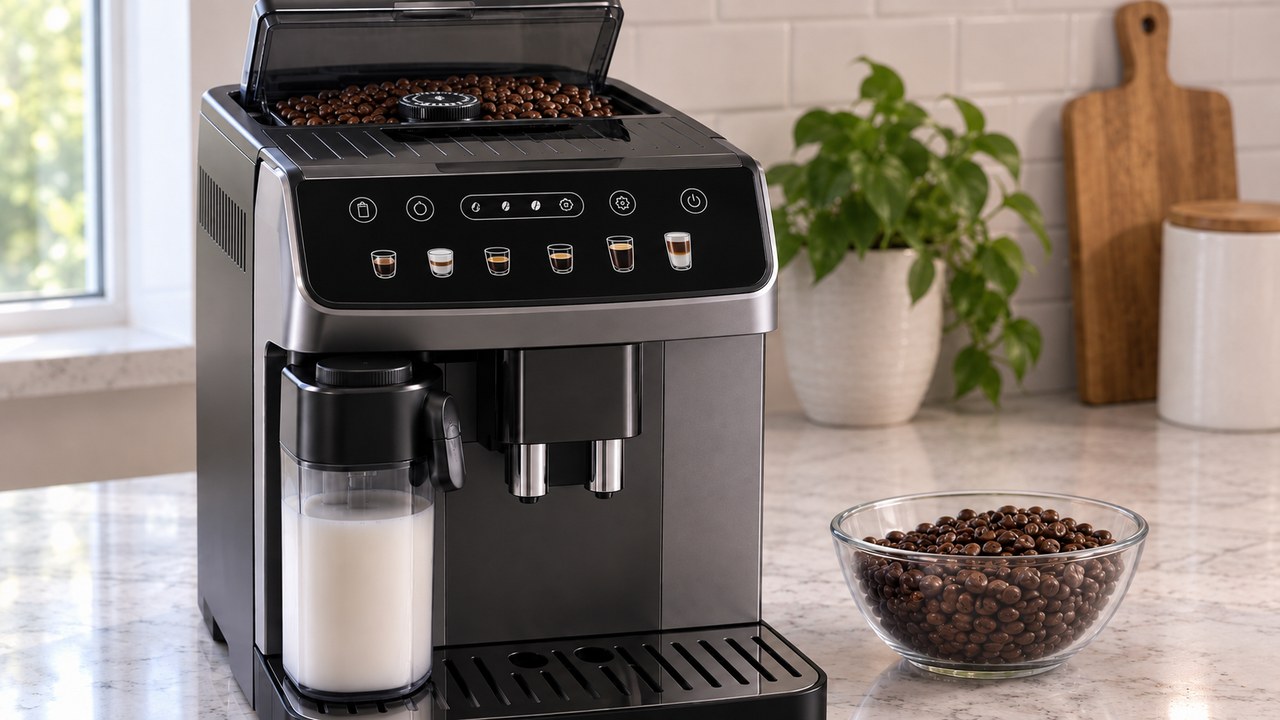
If your DeLonghi Magnifica Evo grinder is not working, first identify what the grinder actually does when you start one bean-based coffee. A completely silent grinder, a motor sound with no beans feeding, and a sudden harsh grinding or clicking noise are different faults. On the ECAM29084SB, do not keep retrying a stalled grinder and do not turn the grind dial while the grinder is stopped.
This guide is for the U.S. De’Longhi Magnifica Evo with LatteCrema System ECAM29084SB, in the ECAM29X.6Y–ECAM29X.8Y family. It covers a grinder that does not start, does not pull beans down, becomes unusually loud, appears jammed or produces too little ground coffee. If the grinder sounds normal and produces grounds but the drink still does not reach the cup, use the Magnifica Evo coffee-delivery diagnosis instead.
Stop if the grinder suddenly makes a harsh mechanical noise. Switch the machine off normally, unplug it after shutdown and do not put fingers, screwdrivers or other tools into the burr area. De’Longhi specifically identifies foreign objects among coffee beans as a possible cause of a noisy grinder that stops grinding.
Magnifica Evo grinder not working: quick diagnosis
| What the grinder does | Most useful first check | Likely branch |
|---|---|---|
| Completely silent during a bean-based coffee | Confirm beans are selected rather than pre-ground coffee and check for an active warning | Selection, interlock, control or grinder fault |
| Motor runs but beans stay in the hopper | Check whether beans are bridging or sticking above the grinder inlet | Bean-feed problem |
| Suddenly very loud, clicks or sounds stalled | Stop immediately and inspect the emptied hopper for a visible foreign object | Possible grinder obstruction |
| Grinds, but very little ground coffee appears | Use a small amount of dry, uncoated beans and observe the next controlled cycle | Feed restriction, bean type or grinder wear/fault |
| Coffee only drips after a grind adjustment | Move only one step coarser while the grinder is actively operating | Grind set too fine |
| Grinder works but no coffee reaches the cup | Stop diagnosing the grinder and follow the coffee-flow branch | Infuser, outlets or water path |
1. Make sure the grinder is supposed to run
Before treating silence as a failed grinder, start one normal drink that is configured to use whole beans. The ECAM29084SB also supports pre-ground coffee, and that function intentionally bypasses the bean grinder. If pre-ground mode is selected, no grinder sound is expected.
If you actually want to use the bypass chute for decaf or another ground coffee, follow the Magnifica Evo pre-ground coffee guide for the correct sequence, one-scoop limit and supported drink options.
- Fill the bean hopper with a small amount of normal roasted coffee beans.
- Make sure you are not using the pre-ground coffee setting.
- Confirm the water tank, drip tray and grounds container are correctly fitted and that no warning is preventing a coffee cycle.
- Select one espresso or coffee and listen from the moment the cycle starts.
- Cancel further testing if you hear harsh clicking, crunching, repeated stalling or another new mechanical sound.
If the machine stops before the grinding stage and an indicator is illuminated or flashing, identify that panel state first. The ECAM29084SB warning-lights guide separates bean, water, tray, infuser and general-alarm conditions so you do not mistake an interrupted coffee cycle for a dead grinder.
2. If the grinder runs but the beans do not feed
A grinder can sound as though it is running while very few beans actually reach the burrs. Look at the beans before and immediately after one controlled attempt. If the level and surface barely change, the problem may be above the grinder rather than inside the motor.
Bean shape and surface matter in an automatic machine. De’Longhi advises against beans that are excessively oily, caramelized or coated because they can stick in the grinder area. Use ordinary dry roasted beans for diagnosis rather than flavored, sugar-coated or visibly sticky beans.
- Do not pack the hopper tightly. A small test quantity makes it easier to see whether beans are moving.
- Look for a bridge of beans. If beans remain suspended above the inlet, switch the machine off before gently redistributing them from the top of the hopper.
- Keep the hopper dry. Do not add water, cleaning liquid or damp beans to free a feed problem.
- Do not push beans into the grinder with an object. The goal is to restore gravity feed, not force material toward moving burrs.
If a small amount of dry beans falls normally and the grinder produces a normal grinding sound again, make one coffee and inspect the grounds container afterward. Fresh ground coffee confirms that bean feed has resumed. If the grinder spins but repeatedly produces little or no ground coffee, stop treating the problem as a simple hopper bridge.
3. If the Magnifica Evo grinder is loud or jammed
A sudden change from the normal burr-grinding sound to hard clicking, crunching, repeated knocking or a stalled-motor sound is the clearest reason to stop. De’Longhi’s own grinder guidance says a foreign object that arrived in the coffee beans can cause a grinder to become very noisy and stop grinding.
- Switch the machine off with its normal power control. Allow shutdown to finish, then unplug it.
- Remove the loose beans from the hopper. A vacuum cleaner can be used from above to remove beans and expose the accessible grinder opening.
- Use a light and look from above. Check only for a clearly visible stone or other foreign object in the accessible hopper/grinder area.
- Remove an object only if it is loose and easily accessible. Do not pry between the burrs, force the adjustment mechanism or dismantle the grinder.
- If nothing is obvious, stop. A blocked burr set, damaged drive or motor problem cannot be safely diagnosed by repeatedly energizing a stalled grinder.
Do not use rice to “clean” or unjam the built-in grinder, and do not pour grinder-cleaning pellets into the machine unless De’Longhi specifically approves that product and procedure for this model. A superautomatic grinder feeds directly into the machine’s dosing and brewing path, so a method intended for a removable standalone grinder is not automatically suitable here.
4. Do not turn the grind dial while the grinder is stopped
The ECAM29084SB uses a built-in conical burr grinder with multiple grind settings. The adjustment dial changes the spacing of the grinding system, and De’Longhi instructs owners to adjust it only while the coffee mill is operating during the initial grinding phase.
This matters most when troubleshooting. If the grinder is jammed and cannot rotate, forcing the dial is not a safe way to free it. If the grinder does run normally but coffee delivery has become extremely slow or drip-by-drip, then one controlled coarser adjustment can be appropriate.
- Start a bean-based coffee.
- While you can hear the grinder actively running, turn the dial only one click toward a higher number for a coarser grind.
- Leave the setting there and evaluate at least the next two coffees before deciding whether another change is needed.
A grind adjustment is for extraction behavior, not for a silent motor or a grinder that is mechanically stuck. If there is no normal rotation, skip this step.
5. Grinder is silent even though whole beans are selected
If the ECAM29084SB reaches the point where it should grind a bean-based drink but there is no grinder sound at all, do not jump straight to replacing a motor. First eliminate the conditions that can prevent or interrupt a coffee cycle before the grinder is commanded.
| Check | Why it matters | What to do |
|---|---|---|
| Pre-ground function | The machine intentionally bypasses the grinder | Return to a whole-bean strength selection |
| Active warning | A required tank, tray, grounds or other condition can stop the cycle | Resolve the exact indicator first |
| Bean hopper | An empty hopper can be mistaken for a silent or ineffective grinder | Add a small amount of dry beans |
| Previous abnormal noise | A blockage may have preceded the silence | Do not keep starting the grinder; inspect the hopper safely |
| Normal controls but repeated silence | An internal electrical, motor or drive fault becomes more plausible | Stop owner troubleshooting and arrange service |
There is no useful owner reset that can prove a grinder motor is healthy. If the machine accepts a bean-based drink, has no blocking warning and repeatedly reaches the grinding stage without any grinder operation, internal diagnosis is the next step. Do not open the outer housing to test wiring, capacitors, sensors or the grinder motor.
6. Grinder runs, but it produces too little coffee
Too little ground coffee is different from no grinder operation. The most useful evidence is what appears in the grounds container after a controlled bean-based drink. A normal grinding sound with almost no fresh grounds points toward bean feed or the grinder/dosing path; a normal amount of fresh grounds moves the diagnosis downstream toward brewing and coffee delivery.
For the grinder branch, use fresh, dry, uncoated beans and make sure they fall freely toward the grinder. Do not compensate for poor feed by repeatedly changing the grind dial. Grind size controls particle size; it is not a hopper-feed adjustment. If the grinder is feeding normally and producing a normal amount of grounds but the finished coffee is weak, thin or watery, use the Magnifica Evo watery coffee guide instead.
If the machine has recently changed from a normal dose to a very short grind despite free-moving beans, or the grinder speed/sound has changed significantly without a visible obstruction, stop after the basic checks. Worn or damaged grinder components and internal dosing faults require service-level diagnosis.
7. The grinder works again but coffee still does not come out
Once the grinder has returned to a normal sound and fresh grounds are being produced, the grinder problem is no longer the best explanation for an empty cup. Coffee still has to move through the infuser and then out through the coffee spouts.
- If hot water also fails, investigate the water-supply and pump side rather than the grinder.
- If coffee comes from only one spout, clean the external coffee-nozzle openings.
- If coffee only drips, confirm the grind is not excessively fine before investigating another restriction.
- If fresh grounds are produced but the infuser cannot move, be removed or reinstalled normally, use the Magnifica Evo infuser-stuck fixes.
This separation is useful because repeatedly emptying the hopper or changing grinder settings cannot clear a blocked coffee outlet, restore water flow or correct an incorrectly positioned brew unit.
What not to do with a Magnifica Evo grinder
- Do not turn the grind adjustment dial while the grinder is stopped.
- Do not keep retrying a grinder that clicks, crunches or stalls.
- Do not push beans toward the burrs with a spoon, screwdriver or finger.
- Do not pour water or cleaner into the bean hopper.
- Do not use sticky, caramelized, sugar-coated or excessively oily beans for troubleshooting.
- Do not remove the outer housing to access the grinder motor or wiring.
- Do not assume that “no coffee” always means “bad grinder.” Verify whether fresh grounds are actually being produced.
When the grinder needs service
Owner troubleshooting should end when the fault is no longer visible from the hopper or distinguishable through one controlled coffee cycle. The grinder is an internal powered mechanism; the safe checks above do not require removing the machine’s housing.
- The grinder remains completely silent with whole beans selected and no blocking warning.
- The grinder repeatedly stalls or makes harsh clicking, crunching or grinding noises.
- A foreign object is visible but cannot be removed easily from above without forcing anything.
- Beans feed freely but the grinder repeatedly produces almost no ground coffee.
- The grind dial is jammed, damaged or cannot be adjusted normally while the grinder is operating.
- The machine smells burned, trips a breaker, becomes abnormally hot or produces an electrical buzzing sound.
- The problem began after liquid entered the hopper or after an object was deliberately pushed into the grinder.
For support, note the complete ECAM29084SB model code, whether the grinder is silent or noisy, whether beans actually move downward, whether fresh grounds appear after one attempt and which warning lights are active. That evidence is more useful than repeatedly running the machine until the fault becomes permanent.
How to reduce future grinder problems
- Use good-quality roasted coffee beans that are dry and uncoated rather than sticky or caramelized.
- Keep the hopper dry and close it when the machine is not being filled.
- Look through new beans as you fill the hopper so a visible stone or foreign object does not enter unnoticed.
- Adjust grind size only while the grinder is actively operating, one click at a time.
- After a grind change, evaluate at least two coffees before changing it again.
- Stop at the first persistent harsh mechanical noise instead of trying to grind through it.
Magnifica Evo grinder FAQs
Why is my DeLonghi Magnifica Evo not grinding beans?
First confirm that a whole-bean coffee is selected rather than the pre-ground function. If the grinder runs but the beans do not fall, check for sticky beans or a bridge in the hopper. If it becomes suddenly loud or stalls, switch off, unplug after shutdown and inspect the emptied hopper for a visible foreign object without forcing the burrs.
Why does my Magnifica Evo grinder make a loud noise?
A sudden harsh noise can indicate a foreign object among the beans or another mechanical obstruction. Stop the grinder rather than continuing to brew. Remove the loose beans with the machine off and unplugged, inspect from above and seek service if the obstruction is not loose and easily accessible.
Can I turn the grinder dial when the Magnifica Evo is off?
No for normal grind adjustment. De’Longhi instructs owners to turn the grinding adjustment dial only while the grinder is operating during the initial grinding phase. If the grinder is mechanically stuck and cannot rotate, do not force the dial as an unjamming method.
Which way makes the Magnifica Evo grind coarser?
Move the dial one click toward a higher number while the grinder is actively running. A coarser setting can help when coffee is being delivered too slowly or only in drops. Wait at least two coffees before judging the full effect of the change.
Can oily beans stop a DeLonghi grinder?
Very oily, caramelized or coated beans can stick in the grinder area, and De’Longhi advises avoiding them in its fully automatic machines. For diagnosis, use a small amount of dry, uncoated roasted beans and confirm that they fall freely toward the grinder.
Can I vacuum beans out of the Magnifica Evo hopper?
Yes. De’Longhi’s grinder troubleshooting guidance includes removing beans from the container with a vacuum cleaner before checking from above for a foreign object. Switch the machine off normally, let shutdown finish and unplug it first. Do not use the vacuum as a reason to dismantle the grinder or reach into the burrs.
What if the grinder works but the Magnifica Evo still makes no coffee?
If the grinder sounds normal and fresh grounds are appearing, move downstream in the diagnosis. Check water delivery, the coffee outlets and the infuser rather than repeatedly changing the grinder. For other Magnifica Evo symptoms that do not fit this grinder fault, return to the complete ECAM29084SB troubleshooting guide.
A Magnifica Evo grinder fault is easiest to solve when you separate silence, poor bean feed and abnormal mechanical noise. Verify that whole beans are selected, use dry uncoated beans, stop immediately if the sound changes sharply and adjust grind size only while the burrs are running. If the ECAM29084SB still will not grind after those owner-safe checks, service is safer than opening the machine or forcing the grinder mechanism.