
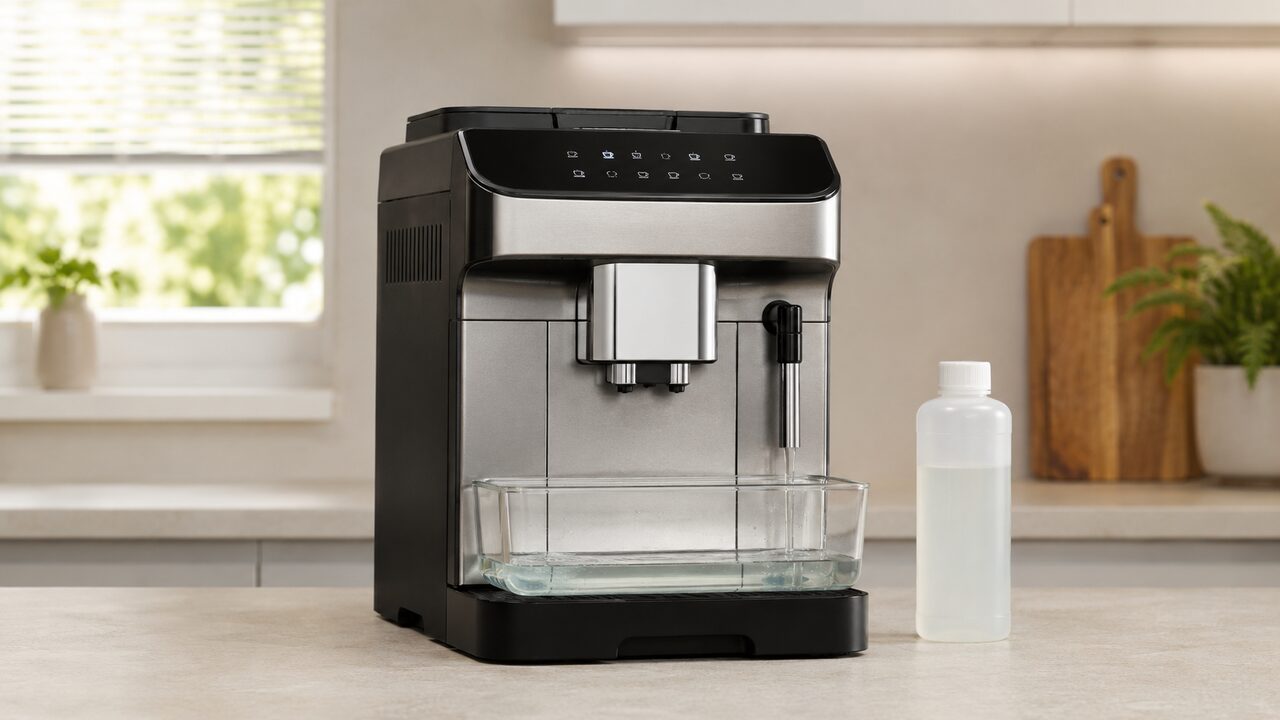
For DeLonghi Magnifica Evo descaling on the U.S. ECAM29084SB, fit the hot-water spout, remove the water filter, add 100 ml of De’Longhi descaler to tank level A and add water to level B. Start the dedicated descale mode, then complete both full-tank rinse stages. The descale light will not clear if the programmed cycle or either rinse is left unfinished.
The ECAM29084SB belongs to the ECAM29X.6Y/ECAM29X.8Y control family, but De’Longhi documents both the original panel and an EX:2 revision. Confirm the panel shown in the instructions supplied with your machine before pressing buttons. The three-stage liquid process is the same, but the icon design and the way the active step is displayed can differ.
This guide owns the normal procedure plus a cycle that will not start, an interrupted cycle, a descale light that stays on and repeated reminders. For an unrelated symbol or combination, use the ECAM29084SB warning-light guide instead of guessing from the color alone.
Confirm your Magnifica Evo version first
Read the product code on the rating label beneath the machine and compare the control panel with the manual packaged with it. This article is for the U.S. ECAM29084SB Magnifica Evo with LatteCrema System. It is not a button guide for the ECAM29043SB with a traditional manual frother, the Magnifica Evo Next ECAM31080SB or another regional ECAM29X layout.
| What you find | How to use this guide |
|---|---|
| ECAM29084SB and an ECAM29X.6Y/29X.8Y EX:2 manual | Follow the three stages below and use the mild, medium and strong intensity LEDs to identify the active stage. |
| ECAM29084SB and an earlier ECAM29X.6Y/29X.8Y manual | Use the same tank quantities and complete both rinses, but identify the descale/Milk Clean control from your own panel diagram. |
| A different ECAM code or a Magnifica Evo Next display | Stop and use that model’s instructions. Similar names do not guarantee the same controls. |
| No readable product label or no matching manual | Do not test random button combinations. Confirm the full model and revision with De’Longhi first. |
On the ECAM29084SB, the relevant control is the dual-purpose Milk Clean/descaling button. Use the symbol shown on your own panel rather than a button position copied from a different Magnifica. A short press can start Milk Clean when the carafe is fitted; entering descale mode requires the documented long hold with the hot-water spout fitted.
What you need before descaling
| Item | Requirement |
|---|---|
| Descaler | One 100 ml dose of De’Longhi EcoDecalk or the De’Longhi descaler specified for the machine |
| Water for the solution | Add fresh water after the descaler until the tank reaches level B, approximately one liter of water |
| Rinse water | Enough fresh drinking water to fill the tank to MAX twice, with more available if a third rinse is requested |
| Collection container | At least 2 liters, wide enough to sit securely beneath both the coffee outlets and hot-water spout |
| Machine accessory | The removable hot-water spout, fitted fully in place |
| Time | Allow about 30–45 minutes without needing to unplug or move the machine |
Use the tank’s molded A, B and MAX marks rather than estimating from a cup. Pour the 100 ml descaler dose to A first, then add water to B. The two rinses are different: each begins with fresh water filled all the way to MAX.
Do not substitute vinegar, put a cleaning tablet in the tank or mix two descaling products. De’Longhi specifies its liquid descaler for this cycle, and the programmed quantities are designed around a 100 ml dose. Wipe any splash from a countertop or appliance surface immediately and follow the safety label on the product.
Prepare the ECAM29084SB safely
- Leave the machine assembled, powered and ready, with the descale indicator visible. Do not remove the housing or infuser.
- Remove the LatteCrema milk carafe and fit the hot-water spout fully onto the connector.
- Empty the drip tray and grounds container, then reinstall both completely. Part of the cycle water can collect internally, so beginning with them empty prevents an avoidable interruption.
- Remove and empty the water tank. If a softener filter is installed, take it out before adding descaler and set it aside safely.
- Pour 100 ml of descaler into the tank to level A. Add fresh water to level B and reinstall the tank.
- Place the empty 2-liter container under both the adjustable coffee spouts and the hot-water spout. Keep hands away from the outlets once the cycle starts because the discharged liquid is hot.
Do not fill the tank to MAX for the chemical stage. MAX is used for each clean-water rinse. Reversing those quantities can dilute the first stage or leave too little water for the machine to recognize a complete rinse.
DeLonghi Magnifica Evo descaling steps
Stage 1: Run the descaling solution
- With the hot-water spout installed, press and hold the Milk Clean/descaling button for at least five seconds. Release it when its LED flashes rapidly. On the EX:2 panel, the mild-intensity LED identifies stage 1.
- Check once more that the drip tray and grounds container are empty and installed, the filter is out, the tank contains descaler to A plus water to B, and the 2-liter container covers both outlets.
- Press the rapidly flashing Milk Clean/descaling button once to begin. The descale indicator flashes while the program is active.
- Leave the machine to work. For roughly 15 minutes it alternates pauses with liquid delivery from the coffee outlets and hot-water spout. Pauses and changes between outlets are normal; do not keep pressing the button.
- Wait for the low-water indicator. That is the prompt to prepare the first rinse, not evidence that the cycle has finished.
Stage 2: Complete the first rinse
- Empty the collection container carefully. Remove the water tank, discard any remaining solution and rinse the tank thoroughly under running water.
- Fill the tank with fresh drinking water to MAX. Do not reinstall the water filter yet. Return the tank and the empty collection container to their positions.
- Press the rapidly flashing Milk Clean/descaling button. On the EX:2 panel, the medium-intensity LED flashes to identify the first rinse.
- Let the machine rinse the coffee outlets and hot-water spout automatically. When the low-water indicator appears again, stage 2 is complete.
Stage 3: Complete the second rinse
- Empty the collection container. Remove and empty the tank, then fill it again with fresh drinking water to MAX.
- Reinstall the water-softener filter now if you use one. Return the tank and place the empty 2-liter container beneath the outlets.
- Press the rapidly flashing Milk Clean/descaling button. On the EX:2 panel, the strong-intensity LED flashes for stage 3. This rinse is delivered from the hot-water spout.
- Wait until the pre-ground-function LED illuminates, which marks successful completion of the programmed cycle.
- When prompted, empty the collection container, drip tray and grounds container. Water in the grounds container after descaling is normal. Reinstall all parts fully.
- If the no-water indicator appears, fill the tank with fresh drinking water and reinstall it. The machine should return to normal readiness and the descale indicator should be off.
What the stage lights mean
| Panel state | Meaning during descaling | What to do |
|---|---|---|
| Descale indicator steady before starting | Maintenance is due | Prepare the correct product, spout and container |
| Descale control flashing rapidly | The machine is waiting for confirmation or the next stage | Check the tank and container, then press the flashing control once |
| Mild-intensity LED | Stage 1, descaling solution | Do not add rinse water until the low-water prompt |
| Medium-intensity LED | Stage 2, first clean-water rinse | Use fresh water to MAX with the filter still removed |
| Strong-intensity LED | Stage 3, second clean-water rinse | Use fresh water to MAX and reinstall the filter if used |
| Pre-ground-function LED | The programmed cycle has completed correctly | Empty prompted containers and refill the tank |
| Low-water indicator after a stage | The machine needs the next tank preparation | Do not interpret this as final completion |
The intensity LEDs are especially useful after a pause or loss of power because they identify the stage the machine still expects. If your earlier panel does not present these states in the same way, follow the matching diagram in its supplied quick guide rather than transferring an EX:2 button position.
Magnifica Evo descale cycle will not start
If a normal drink starts, Milk Clean runs or nothing changes, do not keep trying nearby buttons. Work through these checks in order:
- Confirm the model and panel revision. The Milk Clean/descaling function may not occupy the position shown in a video for another Magnifica Evo.
- Install the hot-water spout. Remove the milk carafe and push the water spout fully onto the connector before entering the cycle.
- Resolve another active requirement. Seat the tank, drip tray and grounds container correctly. If the machine is still heating or displaying an unrelated alarm, allow it to return to a ready state first.
- Use a true five-second hold. A short press is not the descale-entry command. Hold the documented dual-purpose control until its LED changes to a rapid flash.
- Press once more to confirm. Entering the mode does not immediately pump solution. After checking the setup, press the rapidly flashing control once to begin stage 1.
If the correct control never changes state on a ready ECAM29084SB with the hot-water spout fitted, stop. Do not factory-reset the appliance, repeatedly power-cycle it or pour solution through manual hot-water deliveries. Those actions do not complete the recorded descale program or safely establish why the control was ignored.
If descaling was interrupted or the machine is stuck in the cycle
The programmed cycle is designed to continue through its complete rinse sequence. If power was lost or the machine was turned off, restore power and read the active intensity LED before adding anything to the tank. Current EX:2 instructions tell the owner to restart from the stage identified by that LED; earlier ECAM29X instructions similarly direct the machine to resume rather than begin a second chemical cycle.
- Do not add another 100 ml dose merely because the process stopped.
- Identify whether the mild, medium or strong stage is active.
- If the machine is waiting with a rapidly flashing descale control, prepare the tank for that stage and press the control once.
- For a rinse stage, use fresh water to MAX. Never put more descaler in a tank that the machine expects to contain rinse water.
- Complete every remaining rinse and the final tray, grounds-container and tank prompts.
If the stage cannot be identified, the machine accepts no confirmation, or neither outlet passes water with a correctly seated full tank and hot-water spout, stop and contact De’Longhi or an authorized service center. The priority then is ensuring that no descaling solution remains trapped in a circuit—not forcing the pump or bypassing the program.
Why the descale light stays on
The ECAM29084SB clears its maintenance reminder only after it records the full programmed sequence. Running hot water manually, emptying one tank of solution or stopping after the first rinse does not count as completion.
| What happened | Likely reason the light remains | Correct response |
|---|---|---|
| The solution stage finished and the machine shows low water | The first rinse has not started | Rinse the tank, fill to MAX and continue stage 2 |
| One clean-water tank was used | The second rinse is still required | Fill to MAX again and complete stage 3 |
| The machine requests another rinse | A previous rinse tank was not filled to MAX | Repeat stage 3 with a full MAX tank |
| The light flashes rather than remaining steady | The descale program is still active | Read the intensity LED and continue the indicated stage |
| Hot water was delivered outside descale mode | The maintenance counter never received a completed program | Start and finish the dedicated descale cycle |
| Every stage and final prompt was completed | A control, sensing or flow fault may remain | Record the exact panel state and seek model-specific support |
Do not try to extinguish the reminder by disconnecting the appliance, lowering the water-hardness setting dishonestly or performing a factory reset. The light is useful evidence of what the controller believes is unfinished.
Why the machine asks for a third rinse
A third rinse is normally requested because the tank was not filled completely to MAX during one of the two rinse stages. The extra pass is a safety measure intended to remove remaining descaling solution from the internal circuits.
Empty the drip tray and collection container, fill the tank with fresh water to the actual MAX mark and repeat the second-rinse stage. This does not call for another descaler dose. Allow the machine to finish and respond to its final grounds-container and tank prompts.
If descale reminders appear too frequently
The reminder interval is calculated from use and the programmed water-hardness level. Test the water with a total-hardness strip and set the machine to the matching level. A setting higher than the actual supply hardness can trigger reminders sooner; setting it artificially low can delay necessary maintenance and allow scale to build up.
- Use the test result for the water actually poured into the machine, not a regional average.
- Retest if you change from tap water to a filtered or bottled supply.
- Replace and register the water filter as required; if the DLSC002 is due for replacement, follow the Magnifica Evo water filter replacement guide. A filter does not permanently eliminate the need to descale.
- Do not wait for poor coffee flow before acting on a genuine descale reminder.
Coffee is still slow after descaling
Descaling removes mineral deposits from the water circuit; it does not remove coffee residue from the outlet holes, correct an excessively fine grind or repair a failed pump or valve. If the cycle completed but coffee remains absent, weak or drip-by-drip, use the Magnifica Evo coffee-delivery checks and separate whole-machine water failure from a coffee-only restriction.
Do not run another chemical cycle immediately as a general test. Repeating descaler without a due reminder or evidence of an incomplete rinse adds chemical exposure without diagnosing blocked coffee nozzles, grinder settings or an incorrectly seated infuser.
When to stop owner troubleshooting
Stop the cycle and seek qualified support if water or descaling solution leaks from the housing, the power cord or controls become wet, there is a burning smell or electrical fault, or hot liquid escapes from an unintended connection. Also stop if a full, correctly seated tank cannot feed either outlet, the machine repeatedly loses the current stage, or it cannot complete enough rinses to remove the solution.
Do not open the housing, inject water into tubing, force the tank valve or run the pump repeatedly while dry. Record the complete ECAM29084SB code, whether the manual says EX:2, the exact active LEDs, the last stage completed and whether liquid flowed from the coffee outlets, hot-water spout or both. For symptoms beyond maintenance, return to the Magnifica Evo ECAM29084SB troubleshooting hub.
DeLonghi Magnifica Evo descaling FAQs
How much descaler does the ECAM29084SB use?
Use one 100 ml dose of De’Longhi descaler. Pour it into the empty water tank to level A, then add approximately one liter of fresh water until the tank reaches level B. Do not fill to MAX for the chemical stage.
How long does Magnifica Evo descaling take?
Allow roughly 30–45 minutes for preparation, the solution stage and both rinses. The active pumping includes normal pauses. A third rinse adds time if either rinse tank was not filled to MAX.
Can I use vinegar in a DeLonghi Magnifica Evo?
No. The ECAM29X instructions specify De’Longhi descaler and warn that an unsuitable product or incorrect procedure can cause faults outside warranty coverage. Do not mix vinegar, tablets or another cleaner with EcoDecalk.
Should I remove the water filter before descaling?
Yes. Remove the softener filter before adding descaling solution and leave it out for the first rinse. Reinstall it when preparing the fresh MAX tank for the second rinse.
Why does the descale button keep flashing?
A rapid flash normally means the machine is waiting for you to start or continue the displayed stage. Check the current intensity LED, prepare the tank correctly for that stage, position the empty container and press the flashing control once.
Why is there water in the grounds container after descaling?
A small amount of water in the grounds container is documented as normal after this cycle. Empty and clean it when prompted. A large external leak, repeated flooding or water from the housing is not the same condition and should be investigated safely.
Can I stop the descale cycle halfway?
No. Once started, the programmed cycle is intended to finish with all rinse stages. If power is interrupted, resume from the stage indicated by the panel rather than starting over with another dose.