
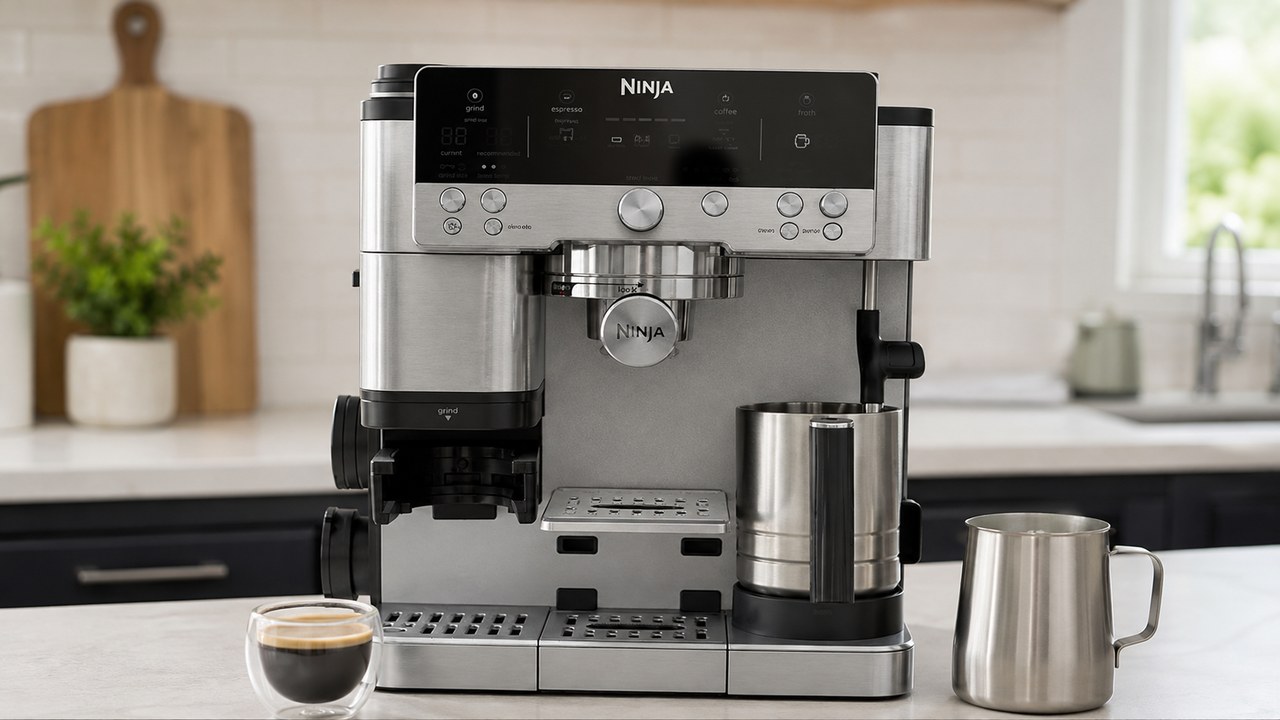
If your Ninja Luxe Café grinder is not working, start by identifying exactly what it does when you try to grind. A grinder that stays completely silent needs different checks from one that spins but produces no grounds, stops after a few seconds, displays ADD BEANS with a full hopper, or suddenly dispenses the wrong amount of coffee.
The Ninja Luxe Café Premier ES601 uses an integrated conical burr grinder together with Barista Assist, basket detection and weight-based dosing. That means a problem that looks like a failed grinder can sometimes be caused by the hopper, bean flow, the portafilter or funnel not being detected, retained coffee around the burrs, or the machine not allowing a grind cycle to start.
This guide works through those possibilities in a practical order. If the grinder works normally but the machine also has brewing, water-flow, temperature or display problems, use our Ninja Luxe Café troubleshooting guide instead.
Ninja Luxe Café grinder problems at a glance
| Grinder symptom | Check first |
|---|---|
| Grinder does nothing | Hopper lock, portafilter, funnel and display prompts |
| START GRIND is missing | Reinstall hopper and grinding components, then restart the machine |
| ADD BEANS with a full hopper | Bean flow, oily beans and burr blockage |
| Grinder runs but no grounds come out | Burr chamber, chute and grinding cradle |
| Grinder starts then stops | Compacted coffee or beans restricting the burrs |
| Grinder spins unusually fast | Check whether beans are actually reaching the burrs |
| INSTALL HOPPER appears | Remove the hopper and lock it back into position |
| INSTALL PORTAFILTER appears | Clean and reseat the portafilter in the grinding cradle |
| INSTALL FUNNEL appears | Remove, clean and reinstall the dosing funnel |
| Machine grinds too much coffee | Basket recognition and weight-based dosing setup |
| Machine grinds too little coffee | Bean supply, restriction and basket recognition |
| Grind setting seems ineffective | Clean burrs and compare widely separated settings |
| Grinder suddenly sounds different | Stop and inspect for obstruction or foreign material |
1. Check what the display is asking for
Before removing the hopper or opening the grinder, look at the display. The ES601 monitors several parts involved in grinding, and it may refuse to start because it believes one of those parts is missing or incorrectly positioned.
- ADD BEANS: the machine is not receiving the expected bean supply.
- INSTALL HOPPER: the bean hopper is not being detected in its correct locked position.
- INSTALL PORTAFILTER: the portafilter is not being detected correctly in the grinding cradle.
- INSTALL FUNNEL: the dosing funnel needs to be fitted or reseated.
A display prompt is useful because it narrows the problem down. Correct that condition first rather than repeatedly pressing START GRIND.
2. Make sure the bean hopper is fully locked
The hopper can contain beans and still prevent grinding if it is not properly seated and locked. Remove it and inspect the mounting area before reinstalling it.
- Check that no beans are trapped underneath the edge of the hopper.
- Make sure the hopper sits flat on the grinder.
- Rotate it completely into the locked position.
- Confirm that the INSTALL HOPPER message disappears.
If beans are sitting on top of the grinder where the hopper needs to seat, clear them before forcing the hopper into position. It should lock normally without excessive pressure.
3. ADD BEANS does not always mean the hopper is empty
One of the more confusing Ninja Luxe Café grinder problems is an ADD BEANS warning when plenty of coffee is visibly sitting in the hopper.
In that situation, look at whether beans are actually moving downward toward the burrs when a grind cycle begins. A hopper can look full while the beans above the grinder form a bridge and stop feeding consistently.
- Turn the machine off before putting your hands near the grinder.
- Check whether beans have become stuck together above the burr opening.
- Inspect the grinder for retained coffee and oily residue.
- Clean the burr area if bean flow appears restricted.
If ADD BEANS repeatedly returns with suitable beans, a properly locked hopper and a clean grinder, the problem is less likely to be simply that the machine needs more coffee.
4. Check whether the beans themselves are restricting the grinder
Bean type matters more in an integrated grinder than many owners expect. Very oily coffee can leave residue on grinder surfaces, and fine particles can stick to that residue and gradually restrict the path through the burrs and chute.
If the problem began after switching to a very dark, glossy or oily coffee, that is worth considering before assuming the motor has failed.
- Look for a heavy oily coating on the beans.
- Check whether the beans move freely toward the burrs.
- Clean the grinder thoroughly before testing another bean.
- For diagnosis, try a dry-surface whole coffee bean after cleaning.
Changing beans will not repair a defective grinder, but it can help separate a recurring feed or residue problem from an actual mechanical failure.
5. Clean the Ninja Luxe Café grinder correctly
Cleaning should be one of the first serious troubleshooting steps if the grinder has become slower, starts and stops, displays ADD BEANS despite having coffee, or runs without delivering the expected amount of grounds.
Turn the ES601 off and unplug it before accessing the burrs.
- Remove as many beans as possible from the hopper.
- Unlock and remove the hopper.
- Rotate the removable upper burr to its alignment position.
- Lift the upper burr out of the grinder.
- Use the supplied grinder brush to remove retained coffee from the upper burr.
- Brush the accessible lower burr area inside the machine.
- Remove loose grounds from the grinder outlet and grinding cradle.
- Reinstall the upper burr securely.
- Reinstall and lock the hopper before reconnecting the machine.
Keep the burrs dry. The grinder should be cleaned with the appropriate brush rather than washed with water while installed in the machine.
6. Do not forget the grinder chute and cradle
A clean-looking upper burr does not guarantee that the entire coffee path is clear. Ground coffee still has to travel from the burrs to the portafilter.
Fine coffee can accumulate farther down the path and around the grinding cradle. This can produce a particularly misleading symptom: you hear the grinder operating, but very little coffee reaches the basket.
With the machine unplugged, use the cleaning brush on the accessible grinder outlet and cradle. Remove compacted grounds without pushing tools deeply into areas that are not intended for owner access.
7. Grinder runs but no coffee grounds come out
If the grinder motor can clearly be heard but nothing arrives in the portafilter, determine whether the beans are reaching the burrs.
If the beans do not move, concentrate on the hopper and bean feed. If beans disappear into the grinder but grounds do not come out, concentrate on the burr chamber, outlet and cradle.
- Confirm that beans are feeding downward.
- Remove and brush the upper burr.
- Clean the accessible lower burr area.
- Clear retained grounds from the coffee outlet and cradle.
- Reassemble the grinder correctly before testing it again.
Do not insert a knife, screwdriver or other large object into the grinder outlet in an attempt to force coffee through.
8. Grinder starts and then stops after a few seconds
A grinder that starts normally and then slows or stops under load often points toward increased resistance rather than a completely dead grinder.
Pay attention to what happens immediately before it stops.
- Does the grinder sound increasingly strained?
- Does ADD BEANS appear?
- Do the beans stop moving downward?
- Does the machine grind normally when little or no coffee reaches the burrs?
If the grinder repeatedly stalls once beans reach it, clean the burrs and coffee path thoroughly before trying more grind cycles. Repeatedly forcing an obstructed grinder is not a substitute for removing the obstruction.
9. Grinder spins very fast but does not grind the beans
An unusually fast, unloaded grinder sound can be another clue. If the sound is noticeably different from normal grinding and the beans remain in the hopper, check whether coffee is actually reaching the burrs.
This can happen after the hopper has run empty or when beans are no longer feeding normally. Turn the machine off, inspect the bean path and grinder, clean any obstruction and then test again with a small amount of suitable beans.
If the internal grinder appears to run but cannot pull beans into the burrs even after the hopper and grinder have been cleaned and correctly reassembled, further repeated grinding is unlikely to help.
10. START GRIND has disappeared from the display
If the grinder is not physically running because the START GRIND option itself is no longer available, treat that as a control or component-detection problem before dismantling the burrs.
- Turn the machine off normally.
- Check that the hopper is installed and locked.
- Check that the funnel and portafilter are correctly positioned.
- Turn the machine back on and check the display again.
- If necessary, power the machine off, unplug it for a short period, reconnect it and repeat the setup.
If START GRIND consistently fails to return despite all grinding components being correctly detected, contact Ninja rather than treating the problem as a clogged burr.
11. Fix an INSTALL HOPPER message
If INSTALL HOPPER remains on the display, remove the hopper completely rather than twisting it harder while it is still in place.
- Switch the machine off.
- Unlock and remove the hopper.
- Remove beans or debris from the mounting area.
- Place the hopper back down evenly.
- Rotate it fully into the locked position.
If a correctly fitted hopper is repeatedly not detected, the problem may be with detection rather than with the coffee itself.
12. Fix an INSTALL PORTAFILTER message
The ES601 expects the portafilter to be correctly positioned in the grinding cradle before guided grinding can continue.
Remove the portafilter and inspect both it and the cradle for loose grounds. Coffee buildup can prevent components from sitting exactly where the machine expects them.
- Make sure the correct basket is seated properly in the portafilter.
- Brush grounds out of the cradle.
- Reinsert the portafilter fully and evenly.
- Check whether the display recognizes it before grinding again.
13. Fix an INSTALL FUNNEL message
The dosing funnel helps keep grounds inside the basket during grinding and tamping. If the ES601 asks you to install the funnel when it already appears to be fitted, remove it and reinstall it rather than ignoring the message.
- Remove the portafilter from the grinding cradle.
- Remove the funnel.
- Clean coffee from the surfaces where the funnel and portafilter meet.
- Reinstall the funnel correctly.
- Place the complete assembly back into the grinding cradle.
If the machine still cannot detect the funnel after it has been cleaned and correctly positioned, repeated removal and installation is unlikely to solve a detection fault.
14. Ninja Luxe Café is grinding too much coffee
The ES601 uses weight-based dosing rather than relying only on a fixed grinding time. It also needs to know which basket and drink setup you are using.
If it suddenly produces far more coffee than expected, check what the machine believes is installed before adjusting the grinder mechanically.
- Remove the portafilter and basket.
- Make sure the correct basket is installed.
- Clean the portafilter and grinding cradle.
- Reinsert the portafilter.
- Confirm the displayed drink and basket setup before starting another dose.
Do not try to correct a suddenly excessive dose simply by changing the grind setting. Grind size affects particle size and extraction; it is not the primary control for a machine that is incorrectly dispensing a dramatically different coffee weight.
15. Ninja Luxe Café is not grinding enough coffee
An unusually small dose can come from either the dosing system or from the grinder failing to deliver coffee efficiently.
- Make sure the hopper has enough beans.
- Watch whether the beans are feeding continuously.
- Listen for the grinder stopping prematurely.
- Clean the burrs and grinder outlet if delivery appears restricted.
- Check that the intended basket is being recognized.
If the grinder runs normally, bean flow is unrestricted and the correct basket is detected but doses remain obviously wrong, the issue is less likely to be solved by additional burr cleaning.
16. The recommended grind setting keeps changing
Do not confuse changing Barista Assist recommendations with a grinder that is mechanically broken. The ES601 can recommend a different grind as it responds to extraction behavior, particularly when you change beans.
The recommendation is a starting point, not proof that the burr adjustment has failed. If the coffee tastes and extracts well, a recommendation to move one setting does not automatically mean something is wrong.
A more meaningful grinder test is whether physically changing from a much finer setting to a much coarser setting produces a noticeable difference in the grounds and extraction.
17. Grind size does not seem to change at all
The Ninja Luxe Café Premier provides 25 grinder settings. Widely separated positions should not behave identically.
If moving the grind control through a large part of its range seems to make no meaningful difference, clean the burrs first. Packed coffee around the burr assembly can interfere with normal grinder behavior and makes diagnosis less reliable.
After cleaning, compare two clearly separated grind settings rather than neighboring numbers. If there is still effectively no change, avoid adding washers, shims or other unofficial modifications as your first repair.
18. The grinder is much louder than it used to be
The integrated grinder is naturally noisy, so volume alone is not a useful diagnosis. What matters is a sudden change in the type of noise.
Stop grinding if you hear a new metallic knock, harsh scraping sound, repeated impact or a motor that suddenly sounds heavily strained.
- Turn the machine off and unplug it.
- Remove the beans and hopper.
- Inspect the accessible burr area.
- Remove coffee buildup with the grinder brush.
- Look for anything obviously different from normal coffee debris.
Whole coffee is an agricultural product, so unwanted hard material can occasionally find its way into a bag. If you suspect a foreign object has entered the burrs, do not keep running the grinder to see whether it will eventually pass through.
19. How often should the grinder be cleaned?
Do not wait for a complete grinder failure before removing retained coffee. Regular brushing is particularly useful when you use the machine frequently or choose darker and oilier beans.
The useful interval depends on how much coffee you grind and the beans you use, so visible buildup and changing grinder behavior matter more than following one rigid calendar.
Clean sooner if you notice slower grinding, more retained coffee, repeated ADD BEANS warnings, inconsistent delivery or beans struggling to feed toward the burrs.
20. Should you reset the ES601 for a grinder problem?
A restart can make sense when the issue appears to be detection or controls—for example, START GRIND has disappeared or the machine is not recognizing a correctly installed component.
It is much less useful when the grinder is physically clogged. Restarting software cannot remove compacted coffee from the burrs or chute.
For a grinder that is mechanically struggling, clean first. For a physically clean grinder with strange component detection or control behavior, turning the machine off and restarting it is reasonable before escalating the problem.
21. Do not shim or modify the burrs as your first fix
Online discussions may suggest changing burr spacing with washers, shims or other modifications. That is different from normal cleaning and should not be the starting point for an ES601 that previously worked correctly.
If the grinder suddenly stops feeding beans, displays ADD BEANS, produces no grounds or changes its dosing behavior, first rule out hopper installation, bean flow, coffee buildup and component detection.
Modifying the grinder can also complicate warranty support. A persistent problem on a machine that is still covered is better taken to Ninja before altering internal grinder geometry.
When the Ninja Luxe Café grinder probably needs service
Cleaning and reseating components should produce a clear improvement when the problem is simply retained coffee or poor bean flow. If nothing changes, there is a sensible point to stop repeating the same maintenance.
- ADD BEANS repeatedly appears with a full hopper after the grinder has been thoroughly cleaned.
- The grinder stalls whenever beans reach the burrs despite the burr chamber being clean.
- The motor stays completely silent even though the hopper, funnel and portafilter are correctly recognized.
- START GRIND repeatedly disappears despite correct component installation.
- The grinder motor runs but cannot pull beans through after cleaning and reassembly.
- The machine repeatedly produces dramatically incorrect doses with the correct basket recognized.
- Widely different grind settings produce no meaningful change after the burrs have been cleaned.
- Abnormal mechanical noise continues after accessible debris has been removed.
- An Er code appears during grinding.
At that point, contact Ninja rather than opening parts of the machine that are not intended for routine owner maintenance.
What to tell Ninja support about the grinder problem
A precise description can make support much easier. Before contacting Ninja, write down what the ES601 actually does rather than simply saying that the grinder is broken.
- The exact display message, if any.
- Whether the grinder motor can be heard.
- Whether beans move toward the burrs.
- Whether any grounds reach the basket.
- Whether the grinder stops after a predictable number of seconds.
- The bean type and whether the beans appear oily.
- Whether the burrs and grinder outlet have already been cleaned.
- Whether the machine correctly detects the hopper, funnel and portafilter.
For example, “the grinder runs for three seconds, slows down and shows ADD BEANS even though the hopper is full and the burrs have been cleaned” is much more useful than “the grinder doesn’t work.”
Start with bean flow and cleaning, not grinder modification
When a Ninja Luxe Café grinder stops working, the most useful first distinction is whether the grinder cannot start, cannot receive beans, cannot move ground coffee out, or cannot dose correctly.
For ADD BEANS warnings, stalling and missing grounds, check bean flow and thoroughly clean the burrs and outlet. For INSTALL HOPPER, INSTALL PORTAFILTER, INSTALL FUNNEL or a missing START GRIND option, focus first on component detection and correct installation.
If the ES601 still cannot grind normally after those checks, repeated cleaning and unofficial burr modifications are unlikely to be the best next step. Record the exact behavior and contact Ninja while the symptoms are easy to reproduce.