
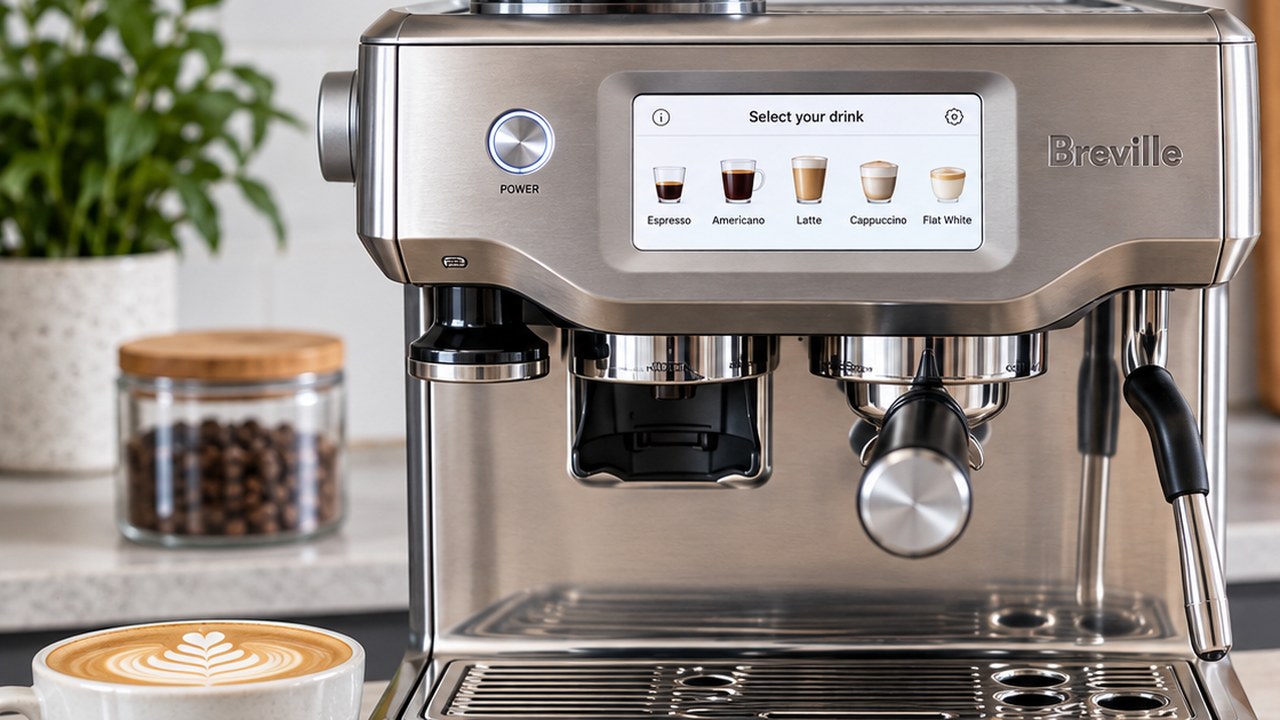
If your Breville Barista Touch is not brewing, has no water flow, will not grind, is producing poor espresso, or has stopped steaming correctly, start with the simple causes before assuming the machine needs repair.
This troubleshooting guide is specifically for the Breville Barista Touch BES880. It does not cover the newer Barista Touch Impress BES881, which uses different tamping hardware and should be diagnosed as a separate model.
Breville’s own BES880 troubleshooting information points first to water-tank position, grind and dose, blocked baskets, scale buildup, grinder obstructions, steam-wand cleanliness, temperature settings, and overheating before moving to service.
Breville Barista Touch troubleshooting: quick diagnosis
| Problem | Check first |
|---|---|
| No water from group head | Water tank level and seating, scale buildup, blocked basket |
| Machine will not brew | Water supply, grind too fine, excessive dose, blocked basket |
| Espresso only drips | Grind too fine, too much coffee, hard tamp, blockage |
| Espresso runs too fast | Grind too coarse, low dose, light tamp |
| Grinder not dispensing coffee | Empty hopper, blocked grinder chamber or chute |
| Steam wand not frothing properly | Blocked steam holes, milk-jug position, temperature sensor contact |
| Coffee not hot enough | Cold cup/portafilter, brew temperature, milk temperature |
| Machine stops during use | Possible thermal protection from overheating |
| Water leaking | Tank seating, drip tray, group-head seal, source of leak |
| Touchscreen or machine unresponsive | Power cycle first; persistent faults may require Breville support |
Before troubleshooting the BES880
Do these basic checks first. They eliminate several common problems without taking anything apart:
- Confirm the water tank contains water above the MIN level.
- Remove and firmly reinstall the water tank.
- Confirm the bean hopper contains beans and is correctly locked into place.
- Empty the drip tray if it is full.
- Check whether the machine is asking for a cleaning or descale cycle.
- Make sure the filter basket and portafilter are not blocked by dried coffee.
- If the machine has just stopped after heavy use, let it cool before repeatedly trying to restart it.
If one of those checks restores normal operation, avoid changing several other settings at the same time. That makes it much easier to identify what actually caused the problem.
Breville Barista Touch not brewing
If the BES880 appears to start a drink but little or no espresso reaches the cup, first determine whether the machine has a general water-flow problem or whether water is being restricted only when the portafilter is installed.
If water can flow normally without coffee but espresso only drips with a prepared portafilter, the problem is more likely to be related to grind size, dose, tamping, or a blocked basket than a failed pump.
Breville identifies several common causes:
- Coffee ground too finely.
- Too much coffee in the filter basket.
- Coffee tamped too firmly.
- A blocked filter basket.
- An empty or incorrectly seated water tank.
- Scale buildup requiring a descale cycle.
Start by confirming water supply and basket cleanliness before making a large grinder adjustment.
The separate search intent around a Barista Touch that specifically will not brew is substantial enough that we are keeping this section focused on first-line diagnosis rather than turning the troubleshooting hub into a second full article.
No water coming from the group head
If there is no water from the group head, test the simplest possibilities first.
1. Check the water tank
Fill the reservoir above its minimum level, then remove and reinstall it firmly. The BES880 can fail to draw water correctly if the tank is not completely inserted and locked into position.
2. Consider scale buildup
Mineral deposits can restrict internal water flow. If the machine is due for descaling or has displayed a descale prompt, complete the normal on-screen descale procedure before assuming a component has failed.
3. Remove the portafilter and compare the flow
If water flows without the portafilter but stops or slows dramatically once coffee is installed, investigate the puck rather than immediately blaming the water system.
A very fine grind, excessive dose, hard tamp, or blocked basket can create enough resistance to reduce espresso to only a few drops.
If there is still no water from multiple outlets after the normal user-level checks and a proper descale, stop repeatedly running the pump dry and contact Breville support.
Espresso only drips from the portafilter
A shot that barely drips is usually over-restricted.
Change one variable at a time:
- Move the grinder slightly coarser.
- Make sure you have not overloaded the basket.
- Keep the tamp firm and level rather than applying excessive force.
- Inspect the basket holes for dried coffee.
- If the basket remains restricted, clean it thoroughly before testing again.
If coffee flows normally after moving slightly coarser, you have identified an extraction problem rather than a machine fault.
Espresso runs too fast or tastes weak
The opposite problem usually means the puck is offering too little resistance.
Breville’s troubleshooting guidance points to a grind that is too coarse, insufficient coffee in the basket, or tamping too lightly.
Start by moving the grind one step finer and test again. Avoid changing grind, dose, and drink programming simultaneously because you will not know which adjustment fixed the extraction. For the full dial-in process, starting setting, extraction timing and upper-burr adjustment, see our Breville Barista Touch grind size guide.
Breville Barista Touch grinder not working
If the grinder runs but no grounds appear, begin with the hopper and coffee path rather than assuming the motor has failed.
- Confirm there are beans in the hopper.
- Make sure the hopper is properly installed and locked.
- Inspect the grinder chamber and chute for compacted coffee.
- Clean accumulated coffee oils and loose grounds according to the normal grinder-cleaning procedure.
Very oily beans and accumulated grounds can contribute to chute and burr-area problems over time.
If the grinder does not operate at all after the normal cleaning and hopper checks, or produces abnormal mechanical noises, stop forcing repeated grind cycles. A persistent motor or control fault belongs in repair/service territory rather than routine troubleshooting.
Steam wand not working or milk not frothing
The Barista Touch BES880 relies on its steam wand and milk-temperature sensor for automatic milk texturing, so cleanliness and jug placement matter.
If frothing performance has suddenly become poor:
- Wipe the steam wand after use.
- Check that the holes in the steam tip are not blocked.
- Use the machine’s steam-wand cleaning function if needed.
- Position the milk jug correctly over the temperature sensor.
- Make sure the bottom of the jug is making proper contact with the sensor area.
- Test again with fresh, cold milk and an appropriate milk level.
If the touchscreen cannot detect the jug or displays a persistent sensor-related error after normal cleaning and positioning checks, that is different from an ordinary blocked steam tip and may require service.
Coffee is not hot enough
A drink that seems too cool does not automatically mean the heater is failing.
Breville recommends checking several simpler causes first:
- Preheat the cup.
- Preheat the portafilter with hot water and dry it before dosing.
- For milk drinks, confirm the jug is contacting the temperature sensor correctly.
- Increase the milk-temperature setting if the milk itself is too cool.
- Check the machine’s brew-temperature setting.
Measure the problem by separating espresso temperature from milk temperature. A cool latte does not necessarily mean the espresso itself was brewed too cold.
Barista Touch will not turn on
If the BES880 appears completely dead, check the external power supply before diagnosing the machine.
- Confirm the power cord is fully connected.
- Test the outlet with another appliance.
- Check whether a GFCI outlet or circuit breaker has tripped.
- Disconnect the machine briefly and reconnect it.
If the outlet works normally but the machine remains completely unresponsive, repeated power cycling is unlikely to solve an internal electrical fault. Contact Breville support rather than opening a mains-powered espresso machine.
Machine turns on but stops working
This is different from a machine that never powers on.
The BES880 troubleshooting information notes that thermal protection can activate if the pump or grinder overheats. Switch the machine off, unplug it, and allow it to cool for approximately 30 to 60 minutes.
If normal operation returns after cooling, avoid immediately repeating the workload that caused the shutdown.
If it repeatedly stops under ordinary use, Breville recommends contacting support rather than continuing to reset an overheating machine.
Water leaking from the Barista Touch
Before diagnosing a leak, identify exactly where the water originates.
- Under the water tank: remove and reseat the reservoir and check for obvious damage or incorrect installation.
- Around the drip tray: empty the tray and make sure it is installed correctly.
- Around the portafilter during brewing: check the portafilter position and condition of the group-head seal.
- Water appearing underneath the machine: stop using it until you can determine whether the source is an external spill or an internal leak.
Breville notes that the silicone seal around the shower screen is a wear component and may eventually need replacement for the portafilter to seal correctly.
An internal leak is not something to ignore around an appliance that contains both water and mains electricity.
Touchscreen not responding
For an isolated touchscreen freeze, start with a normal shutdown and restart rather than immediately attempting a factory reset.
If the screen remains frozen, the machine repeatedly locks up, or touch input fails in the same area every time, record what happens and contact Breville support.
A factory reset can remove customized drink settings, so it should not be treated as the first response to every touchscreen problem.
When a factory reset makes sense
A factory reset is useful when a software setting appears to be the problem, not as a universal cure for blocked water lines, grinder jams, worn seals, or hardware failures.
One situation specifically identified in BES880 troubleshooting guidance is a purge-related error when the machine makes a loud noise but water does not come through.
Remember that a factory reset can remove your customized coffee settings. Record anything you want to recreate before resetting the machine. If you need the normal touchscreen controls, settings menu, or reset procedure rather than fault diagnosis, see our Breville Barista Touch manual guide.
Cleaning vs descaling: do not confuse them
Cleaning coffee oils and removing mineral scale solve different problems.
A cleaning cycle targets coffee residue around the brewing system. Descaling removes mineral deposits created by water.
If the problem is restricted water flow and the machine is overdue for descaling, repeatedly running cleaning tablets will not necessarily address the mineral restriction.
Likewise, descaling is not a substitute for cleaning a blocked basket, grinder chute, or steam tip.
Troubleshooting or repair: when should you stop?
Routine troubleshooting should stay on the user-serviceable side of the machine.
We would stop troubleshooting and move toward Breville support or professional repair if:
- The machine has an internal electrical or water leak.
- It repeatedly trips power protection.
- It repeatedly overheats during normal use.
- The grinder makes abnormal mechanical noises after normal cleaning.
- There is no water after the tank, seating, blockage, and descale checks have been completed.
- A persistent sensor or touchscreen fault prevents normal operation.
- A problem requires opening the machine to reach mains-voltage components, pumps, valves, internal wiring, or sensors.
If your BES880 has moved beyond normal troubleshooting and the evidence points to a failed component, see our Breville Barista Touch repair guide for repairable parts, warranty options, professional service, and when replacing the machine may make more sense.
That distinction also matters for search intent. A troubleshooting guide should help determine what is wrong and resolve normal user-level problems. Internal component replacement belongs to repair, which is a separate topic.
If you are considering replacing the BES880
If your Barista Touch is reaching the point where a major repair no longer makes financial sense, one current alternative is Ninja’s guided ES701 system.
Our Ninja Luxe Café Pro vs Breville Barista Touch comparison compares the ES701 and BES880 directly on espresso workflow, grinding, tamping, milk control, drink variety, price, and warranty.
Breville Barista Touch troubleshooting: final checklist
Before deciding that your BES880 needs repair, work through this order:
- Check water, beans, tank seating, hopper position, and power.
- Identify whether the problem occurs with brewing, grinding, steaming, or the whole machine.
- Check for an obviously blocked basket, grinder chute, or steam tip.
- Correct grind, dose, and tamping problems one variable at a time.
- Complete required cleaning or descaling when relevant.
- Allow the machine to cool if thermal protection may have activated.
- Use a factory reset only when a settings or purge problem makes it appropriate.
- Stop and contact Breville if the evidence points to an internal electrical, pump, valve, sensor, control, or leakage problem.
The most useful troubleshooting step is often determining whether the symptom follows the coffee puck, the water system, the grinder, the milk system, or the machine itself. Once you isolate that part of the workflow, the list of realistic causes becomes much shorter.