
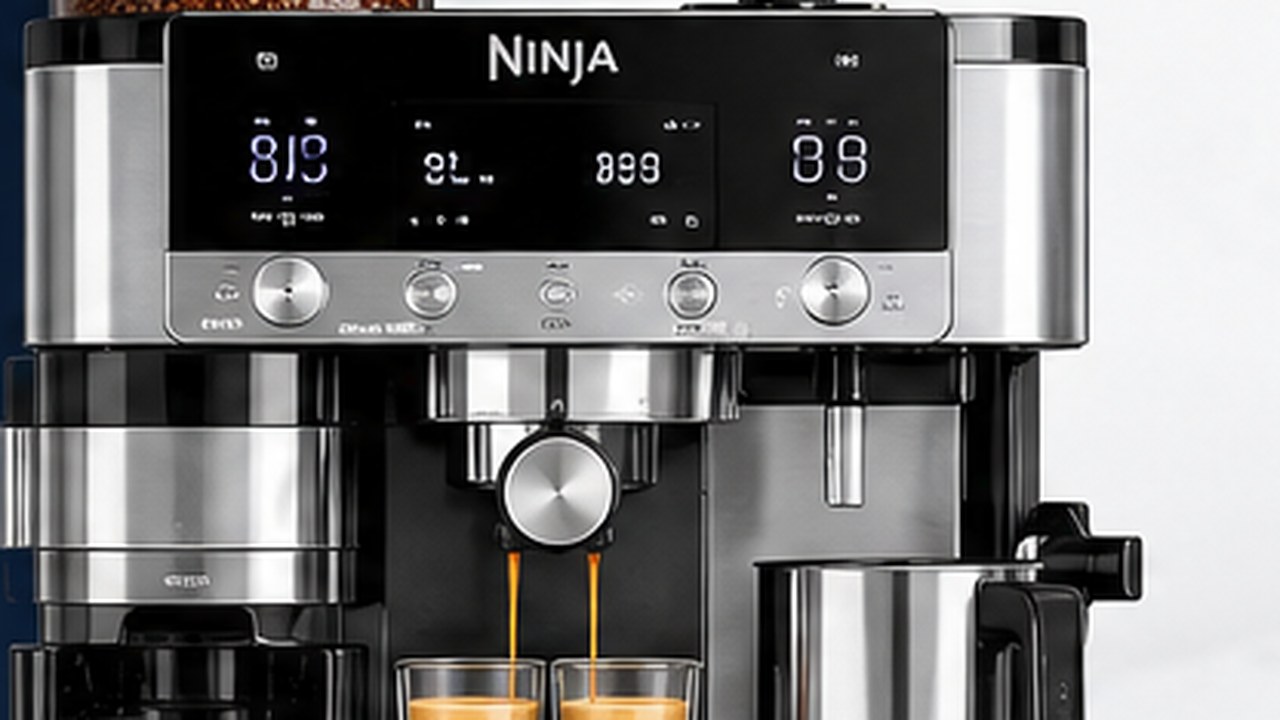
If your Ninja Luxe Café Pro ES701 is not working correctly, start with the exact symptom or message rather than resetting the machine or changing several settings at once. Many problems come from a loose water reservoir, incorrect grind setting, blocked basket, coffee residue, an installation notification, or overdue cleaning rather than a failed machine.
This Ninja Luxe Café Pro troubleshooting guide covers the general ES701 problems that do not need a full specialist article. For grinder, frother, cleaning, and grind-size problems, you will also find links to the more detailed guides already dedicated to those systems.
Ninja Luxe Café Pro troubleshooting at a glance
| Problem | Check first |
|---|---|
| Machine will not turn on | Power, outlet, plug |
| ADD WATER | Water level and reservoir seating |
| No coffee comes out | Water reservoir, basket, grind, brew path |
| Espresso flows very slowly | Grind too fine or blocked basket |
| Espresso flows too quickly | Grind too coarse or weak extraction |
| Coffee tastes weak or watery | Grind, beans, dose, selected brew |
| Coffee is not hot enough | Preheat cup, brew temperature, scale |
| No crema | Beans, grind, basket, extraction |
| Water around portafilter | Portafilter seating, rim, group-head seal |
| Drip tray fills quickly | Normal purge/rinse water vs. actual leak |
| ADD BEANS / INSTALL HOPPER | Grinder and hopper |
| INSTALL PORTAFILTER | Grinding-cradle positioning |
| INSTALL JUG | Milk jug position and platform |
| CLEAN / DESCALE | Required maintenance cycle |
| Er + number | Record code and contact Ninja |
Start with the message on the display
If the ES701 is showing a notification, deal with that message before changing unrelated settings. Messages such as ADD WATER, ADD BEANS, INSTALL HOPPER, INSTALL PORTAFILTER, INSTALL JUG, RINSE, CLEAN, and DESCALE point toward specific areas of the machine.
Do not treat every notification as an error code. Many are simply instructions telling you that the machine cannot continue until a removable part is fitted correctly or a required maintenance step is completed.
ADD WATER appears even though the reservoir has water
If ADD WATER appears because the reservoir is empty, fill it with fresh water and press START BREW to resume the brew.
If there is already water in the reservoir:
- Remove the water reservoir.
- Check that it contains enough water for the selected drink.
- Reinstall it firmly in the machine.
- Press START BREW again.
If a correctly filled and firmly seated reservoir repeatedly produces ADD WATER and the machine still cannot draw water, stop repeatedly starting brew cycles and move on to the water-flow checks below.
Ninja Luxe Café Pro not dispensing coffee
If the grinder works and the machine starts brewing but little or no coffee reaches the cup, first determine whether the problem is the coffee puck or the machine’s water flow.
- Make sure the water reservoir is full enough and firmly seated.
- Remove the portafilter.
- Check that the basket holes are not blocked by dried coffee.
- Confirm that the grind is not dramatically finer than the Barista Assist recommendation.
- Clean visible coffee residue from the group-head area.
- Retry only after the removable coffee path is clear.
If water also fails to flow normally without a loaded portafilter, the problem is less likely to be simply an overly fine espresso puck. A persistent lack of water from multiple machine functions deserves manufacturer support rather than repeatedly forcing brew cycles.
Espresso is coming out very slowly
Very slow espresso usually means the water is meeting too much resistance.
- Check whether CURRENT grind size matches RECOMMENDED.
- Do not deliberately use a much finer grind than Barista Assist suggests.
- Check the basket holes for coffee residue.
- Make sure the portafilter and group head are clean.
- Run required cleaning or descaling maintenance when the machine requests it.
If the issue is specifically choosing the correct setting rather than a machine failure, use our Ninja Luxe Café Pro grind size guide before making random adjustments.
Espresso comes out too fast
Espresso that rushes through the basket and finishes unusually quickly can point to insufficient resistance through the coffee puck.
- Check the Barista Assist grind recommendation.
- Make sure CURRENT actually matches RECOMMENDED.
- Use the correct basket for the selected espresso drink.
- Tamp consistently with the integrated tamper.
- Use reasonably fresh whole beans.
If you are manually dialing in after the recommended setting has stabilized, move only one grind step at a time. Lower numbers are finer; higher numbers are coarser.
Coffee tastes weak or watery
Weak coffee does not automatically mean the ES701 pump or grinder is broken.
- Confirm you selected the drink you actually intended to make.
- Check that the correct basket is installed.
- Follow Barista Assist instead of using an arbitrary grind number.
- Use fresh beans rather than very old coffee.
- Check that the basket is not underfilled because the grinder failed to dispense the full dose.
- Change strength only after the basic extraction is correct.
If the grinder is running but dispensing very little coffee, showing ADD BEANS with beans present, jamming, or making unusual noises, see our Ninja Luxe Café Pro grinder troubleshooting guide.
Coffee is not hot enough
If the ES701 is brewing normally but the drink seems cooler than expected, start with the simple temperature checks.
- Preheat the cup with hot water.
- Preheat the portafilter, then dry the basket completely before grinding into it.
- Check the brew-temperature setting.
- If making a milk drink, make sure you did not select Cold Foam when you expected heated milk.
- If DESCALE is illuminated, complete the required descaling procedure.
If the machine is brewing normally and you want to understand Low, Medium, and High brew temperature, roast recommendations, or the separate milk-temperature setting, see our Ninja Luxe Café Pro temperature settings guide.
A cold cup can remove a surprising amount of heat from a small espresso, so test with a preheated cup before assuming there is a heater fault.
Espresso has little or no crema
Crema depends heavily on the coffee and extraction, so poor crema is not a reliable sign by itself that the ES701 is defective.
- Use reasonably fresh whole beans.
- Match the grind recommendation.
- Use the correct basket.
- Keep the basket holes clear.
- Tamp consistently.
- Allow Barista Assist a few brews to dial in a new bag of beans.
If the shot tastes balanced even though the crema looks thinner than expected, do not chase appearance by making large grind changes that make the espresso taste worse.
Coffee or water leaks around the portafilter
Water escaping around the edge of the portafilter is different from normal coffee flowing through the basket.
- Stop the brew.
- Let the group-head area cool before touching it.
- Remove the portafilter.
- Clean coffee grounds from the portafilter rim.
- Clean loose grounds from the visible group-head sealing surface.
- Reinstall the basket correctly.
- Lock the portafilter firmly into the group head.
If water continues escaping around a correctly installed, clean portafilter, a sealing component may require inspection or replacement. Do not dismantle the machine body to reach internal seals while it is under warranty.
There is water in the drip tray
Water appearing in the ES701 drip tray does not automatically mean the machine is leaking. The machine deliberately sends rinse, pressure-release, and steam-purge water into the tray during normal operation.
Empty the tray regularly, particularly after milk drinks and before running a CLEAN cycle.
Investigate further if water is appearing underneath or behind the machine rather than inside the intended tray, the tray overflows unusually quickly without heavy use, or water is reaching electrical areas.
Water is leaking underneath the machine
If you find water underneath the ES701, first rule out external sources.
- Check that the water reservoir is seated correctly.
- Inspect the removable reservoir for obvious damage.
- Make sure the drip tray is not full or incorrectly installed.
- Dry the counter and determine whether fresh water reappears during the next safe operation.
If water is clearly emerging from inside the machine body, reaches the power cord or electrical components, or is accompanied by an abnormal smell or sound, unplug the machine when safe and contact Ninja rather than continuing to test it.
Ninja Luxe Café Pro will not turn on
If the control panel remains completely dark:
- Make sure the power cord is fully plugged into the outlet.
- Test the outlet with another known-working device.
- Check whether a breaker or GFCI outlet has tripped.
- Inspect the visible power cord for damage.
Do not open the ES701 housing to troubleshoot its internal power supply. If the outlet works and the machine remains completely dead, use Ninja support or an authorized repair route.
ADD BEANS appears with beans in the hopper
ADD BEANS does not always mean the hopper is empty. Beans can bridge above the burrs, or the grinder can be jammed or clogged.
If whole beans are clearly present, do not keep adding more beans indefinitely. Check whether they are feeding toward the burrs. Persistent ADD BEANS, low grinder output, a jam, or abnormal grinder noise belongs in our ES701 grinder troubleshooting guide.
INSTALL HOPPER notification
INSTALL HOPPER means the machine is not detecting the bean hopper as correctly installed and locked.
- Unlock and remove the hopper.
- Check whether beans on top of the grinder are preventing it from sitting flat.
- Clear obstructing beans if necessary.
- Reseat the hopper firmly.
- Rotate the handle clockwise to lock it.
Do not force the hopper into place if coffee beans or debris are physically blocking it.
INSTALL PORTAFILTER notification
This message refers to detection of the portafilter in the grinding cradle.
- Make sure the portafilter is sitting flat.
- Push it fully back into the grinding cradle.
- Remove loose grounds from the cradle with the supplied cleaning brush.
If the portafilter is correctly seated but the message persists, power the machine down normally, unplug it, reconnect it, and retry once. Persistent detection problems may require support.
INSTALL JUG notification
If INSTALL JUG appears when you try to froth milk, make sure the XL milk jug is sitting correctly on the milk platform.
- Remove the jug.
- Dry the bottom of the jug.
- Clean and dry the jug platform.
- Reinstall the jug in the correct position.
If the jug is recognized but frothing will not start, milk stays cold, foam is wrong, or the steam wand is weak, continue with our Ninja Luxe Café Pro frother troubleshooting guide.
What does RINSE mean?
The ES701 can request a RINSE when switching from a hot drink to a lower-temperature cold brew function. This is not necessarily an error.
Follow the RINSE prompt and allow the machine to complete the requested rinse before starting the cold drink. The rinse helps bring the brew system into the correct condition for the next extraction.
CLEAN light is on
CLEAN means the ES701 is requesting its coffee-oil cleaning cycle. This is different from descaling.
The CLEAN cycle uses the Double basket, cleaning disc, and an espresso-machine cleaning tablet. If you need the complete procedure, see our Ninja Luxe Café Pro cleaning guide.
DESCALE light is on
DESCALE means mineral buildup in the water system has reached the point where the machine is requesting its separate descaling procedure.
Do not confuse DESCALE with CLEAN. A cleaning tablet targets coffee oils; descaling solution targets mineral scale. Running the wrong maintenance cycle will not solve the problem the notification is identifying.
Descaling can also become relevant when water flow has gradually slowed or beverage temperature has fallen, particularly in hard-water areas.
CLEAN or DESCALE light stays on after maintenance
First make sure you completed the actual programmed cycle rather than simply rinsing the machine manually.
If the correct cycle completed fully but the same notification immediately returns, restart the machine once. Do not repeatedly consume cleaning tablets or descaling solution trying to clear a notification that will not reset after the correct procedure.
The grinder briefly runs when you change grind size
A short burst of grinder activity while making a large grind adjustment does not necessarily indicate a fault. The ES701 can operate the grinder while the dial moves to help prevent binding between very different settings.
Also remember that Barista Assist can change the recommended grind number after previous extractions or as beans age. A changing recommendation by itself is normally a settings issue, not evidence that the grinder is broken.
Our ES701 grind size guide explains CURRENT vs. RECOMMENDED, settings 1–25, and why the recommendation can change.
The machine displays Er followed by a number
An Er message followed by a number is different from a normal installation or maintenance notification.
- Write down the complete error code.
- Stop repeatedly trying different brew cycles.
- Contact Ninja Customer Service and provide the exact code.
Do not dismantle the machine to investigate an internal error code, particularly while it is under warranty.
Should you factory-reset the ES701?
A factory reset should not be the first response to a clogged basket, empty reservoir, grinder jam, dirty steam wand, leak, or maintenance notification.
A reset can clear stored settings, but it cannot physically remove coffee residue, mineral scale, a trapped bean, or repair a failed pump or electrical component.
Diagnose the symptom first. Use a reset only when the problem actually points toward settings or when Ninja support specifically asks you to perform one.
When should you stop troubleshooting?
Some problems should not be investigated by repeatedly operating the machine.
- Smoke or a burning smell.
- A damaged power cord.
- Repeatedly tripping an outlet or circuit breaker.
- Water reaching electrical components.
- Water clearly leaking from inside the machine body.
- Steam escaping from somewhere other than the intended steam system.
- A persistent Er error code.
- An abnormal mechanical or pressure noise that continues after stopping the brew.
Switch the ES701 off and unplug it when safe. Do not remove the outer housing or work around live electrical components; use Ninja support or an authorized repairer.
Before contacting Ninja support
Having a few details ready can make support much easier.
- Confirm the exact model: ES701 for the U.S. Luxe Café Pro.
- Write down the exact message or Er code.
- Note whether the problem affects brewing, grinding, hot water, or frothing.
- Note whether water flows without coffee installed.
- Record when CLEAN and DESCALE were last completed.
- If safe, photograph a visible leak or control-panel message.
Quick ES701 troubleshooting order
- Read the exact notification or symptom.
- Check the water reservoir.
- Confirm the correct removable parts are installed.
- Check basket and visible brew-path cleanliness.
- Match the grind recommendation.
- Check whether CLEAN or DESCALE is due.
- Use the grinder or frother specialist guide if the problem is isolated to that system.
- Stop and contact Ninja for persistent internal errors, electrical faults, or internal leaks.
The most effective Ninja Luxe Café Pro troubleshooting approach is to separate setup messages, extraction problems, maintenance requests, and genuine hardware faults. Start with the simplest model-specific check, change one thing at a time, and avoid turning a grind, cleaning, or installation problem into a larger troubleshooting exercise by resetting everything at once.