
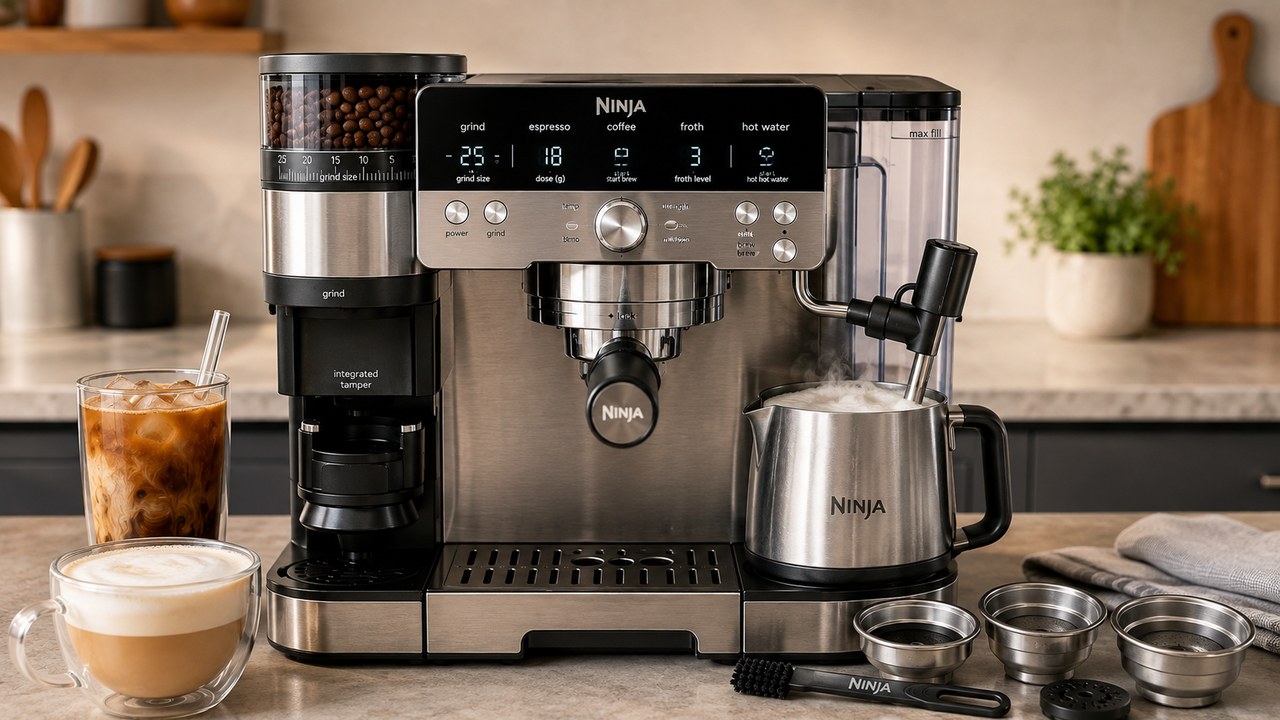
If your Ninja Luxe Café Pro ES701 frother is not working, start with the simple checks before assuming the steam system has failed. The Pro will not begin frothing if the machine has not finished warming up, the water reservoir is too low or loose, the steam wand is not positioned correctly in the jug, or there is not enough milk.
If frothing does start but the milk stays cool, produces almost no foam, or comes out much thinner or thicker than expected, the likely causes are different. The ES701 has five froth presets, separate dairy and plant-based settings, an adjustable froth-temperature setting and a steam wand that can clog with dried milk.
If your problem is not limited to the milk system and involves brewing, water flow, leaks, power, or another ES701 message, see our Ninja Luxe Café Pro troubleshooting guide for the general checks and fixes.
Ninja Luxe Café Pro frother problems at a glance
| Symptom | Check first |
|---|---|
| Frothing will not start | Warm-up, water reservoir, jug position, wand position and milk level |
| INSTALL JUG appears | Jug placement and detection |
| Milk is warm but barely foamy | Froth preset, milk type and steam-wand cleanliness |
| Milk is not hot enough | Cold Foam selection, h06 temperature and clogged wand |
| Foam is too thin | Froth preset and milk selection |
| Foam is too thick | Froth preset and milk type |
| Steam is weak or uneven | Steam tip blockage and PURGE |
| Problem returns after cleaning | Water supply, jug detection or hardware fault |
1. Let the ES701 finish warming up
The Luxe Café Pro will not necessarily start frothing immediately after power-on. If the machine has not reached operating temperature, give it time to complete its warm-up before trying the frother again.
If the machine has just been switched on and every other frothing condition looks correct, waiting for warm-up is the first thing to try.
2. Check the water reservoir
The frothing system needs water to produce steam. A low reservoir can therefore stop a frothing cycle even though milk is already in the jug.
- Fill the reservoir above its minimum level.
- Remove it and reinstall it firmly against the machine.
- Make sure it is sitting normally rather than slightly tilted or loose.
A reservoir that contains water but is not fully seated can cause the same problem as an empty one because the machine may not be able to draw water correctly.
3. Make sure the steam wand is positioned in the jug
The ES701 expects the steam wand to be lowered into the milk jug before the automatic frothing process begins.
- Place the jug correctly on its platform.
- Lower the steam wand into the jug.
- Do not leave the wand raised beside the jug.
If the wand is not in the expected frothing position, correct its position and try the cycle again.
4. Check the milk level
The machine also needs enough milk in the jug for the automatic system to work correctly.
If you are trying to froth only a very small amount, add milk at least to the minimum marking and restart the cycle.
Do not overfill the jug either. Milk expands as air is incorporated, especially with the thicker froth programs.
5. If the ES701 says INSTALL JUG
An INSTALL JUG notification means the machine is not recognizing the expected frothing setup.
- Remove the jug.
- Check that nothing is interfering with its position.
- Place it squarely back on the frothing platform.
- Lower the steam wand into the jug.
- Try the froth cycle again.
If the message remains even with the correct jug properly positioned, the problem is no longer simply choosing the wrong froth preset.
6. Choose the correct froth preset
The ES701 Pro has five frothing programs:
- Steamed Milk
- Thin Froth
- Thick Froth
- Extra Thick Froth
- Cold Foam
This is one of the important differences between the ES701 Pro and ES601 Premier. The Pro adds the Extra Thick Froth option.
If the machine is steaming normally but the final texture is wrong, change the preset before assuming the frother is defective.
7. Cold Foam is supposed to stay cold
If the milk is not getting hot, check that you have not selected Cold Foam.
Cold Foam is intentionally an unheated program. Selecting it and getting cold foam is normal ES701 behavior, not a heating failure.
8. Select DAIRY or PLANT-BASED correctly
The Luxe Café Pro adjusts its frothing behavior according to the milk type you select.
Use the MILK TYPE control to match what is actually in the jug:
- Choose DAIRY for dairy milk.
- Choose PLANT-BASED for non-dairy milk.
If the wrong type is selected, the frother may still operate but the texture can be noticeably poorer.
9. Milk froth is not hot enough
If you are using a heated froth preset and the result still seems too cool, the ES701 gives you a separate froth-temperature adjustment.
On the U.S. ES701 this is _h06 Froth Temperature.
- Press and hold SIZE for about 3 seconds.
- Turn the center dial to _h06.
- Select Froth Temperature.
- Choose LO, M or HI.
- Confirm the setting and exit the menu.
Medium is the normal starting point. If you specifically want hotter milk, try High before assuming the heater has failed.
For the rest of the ES701 controls and Additional Settings, see our Ninja Luxe Café Pro ES701 manual guide.
10. Check the steam wand for dried milk
A partially blocked steam wand is one of the most important checks when the frother still starts but steam output is weak, the milk takes too long to heat, or foam quality suddenly gets worse.
Dried milk can narrow the steam openings even when the outside of the wand looks clean.
Clean the outside first
After every milk drink, wipe milk residue from the wand with a clean damp cloth while the residue is still easy to remove.
Then use the PURGE function to clear the steam path.
Clear a clogged steam tip
If normal wiping and purging do not restore steam flow, use the cleaning tools supplied with the ES701.
- Allow the wand to cool before handling it.
- Use the wrench built into the cleaning brush to remove the steam-wand tip.
- Use the cleaning needle on the brush to clear residue from the tip and steam opening.
- Reinstall the tip securely.
- Run PURGE again.
Do not enlarge the steam holes with a drill bit, pin or other improvised tool. The goal is to remove milk residue without changing the opening itself.
11. Milk gets hot but there is almost no foam
If steam is clearly heating the milk but the texture remains mostly flat, the heating side of the system is probably working. Focus instead on the froth program and milk conditions.
- Make sure you did not select Steamed Milk when you wanted substantial foam.
- Try Thin, Thick or Extra Thick Froth.
- Select the correct DAIRY or PLANT-BASED mode.
- Use fresh milk.
- Start with properly chilled milk for hot frothing.
- Make sure the frothing components and jug are clean.
If the frother is working but you want smoother microfoam for pouring patterns, see our Ninja Luxe Café Pro latte art guide for Thin Froth, manual steaming, milk texture and pouring technique.
12. Froth is too thin
Thin foam does not automatically mean the ES701 cannot froth.
- Move from Thin Froth to Thick or Extra Thick Froth.
- Verify the milk-type setting.
- Try a different milk if the current one consistently produces weak foam.
- Clean the wand if steam output appears weaker than normal.
Different milks produce different textures because their protein and fat composition varies. Two milks used on the same ES701 setting can produce noticeably different foam.
13. Froth is too thick
If the foam is denser than you want, move in the opposite direction.
- Change Extra Thick Froth to Thick or Thin Froth.
- Check that the selected milk type matches the milk in the jug.
- Remember that higher-fat dairy milk can naturally produce a different texture from lower-fat milk.
The froth-style dial exists specifically so you can change texture without modifying the machine mechanically.
14. Steam is weak, sputtering or inconsistent
Weak or irregular steam usually deserves a different diagnostic path from a frothing cycle that refuses to start.
- Check the reservoir level.
- Firmly reseat the reservoir.
- Run PURGE.
- Inspect and clean the steam tip.
- Check whether maintenance has been neglected for a long period.
If the steam path repeatedly blocks because milk is left on the wand after use, changing the cleaning routine is more effective than repeatedly deep-cleaning the tip after the problem returns.
15. The frother suddenly stopped working after working normally
A frother that previously worked but suddenly stops deserves a quick sequence of checks:
- Power the machine normally and allow warm-up to finish.
- Fill and reseat the water reservoir.
- Place enough milk in the jug.
- Seat the jug correctly.
- Lower the steam wand.
- Select a heated froth program rather than Cold Foam.
- Run PURGE.
- Clean the steam tip if steam output is restricted.
This sequence separates a simple setup or blockage problem from a fault that remains despite all normal user-accessible checks.
Should you reset the ES701?
A factory reset is not the first fix for a frother problem.
A blocked wand, low reservoir, misplaced jug or incorrect froth setting will not be repaired by resetting software settings.
A reset is more appropriate when several adjustable machine behaviors are clearly wrong and you deliberately want to return them to factory defaults. For an isolated frother issue, diagnose the frothing system first.
Does descaling fix a frother that is not working?
Sometimes mineral buildup can contribute to reduced water or steam performance, but descaling should not be used as a universal fix every time frothing fails.
If the DESCALE notification is on or the machine is genuinely due for descaling, complete the proper maintenance procedure. If the machine is clean and the problem is clearly a blocked milk-covered steam tip, clean the wand instead.
When the problem probably needs Ninja support
Stop at normal owner-level troubleshooting if the ES701 still cannot froth after the machine has warmed up, the reservoir is full and firmly seated, the jug and wand are positioned correctly, enough milk is present and the steam path is clean.
Contact Ninja if:
- The frother never produces steam despite correct setup.
- INSTALL JUG remains permanently despite correct jug placement.
- The machine displays an Er code.
- Water or steam leaks from inside the machine rather than the normal wand outlet.
- The problem returns immediately after proper steam-wand cleaning.
- The machine shows signs of an electrical or heating fault.
Do not open the body of the ES701 or bypass its detection and safety systems to troubleshoot an internal steam fault.
ES701 frother checklist
- Machine fully warmed up.
- Reservoir filled and firmly seated.
- Jug correctly positioned.
- Steam wand lowered into the jug.
- Milk above the minimum level.
- Correct DAIRY or PLANT-BASED selection.
- Correct Steamed, Thin, Thick, Extra Thick or Cold Foam preset.
- _h06 adjusted if heated froth is too cool.
- Steam wand wiped, purged and unclogged.
If all of those checks pass and the Ninja Luxe Café Pro frother still will not start or produce normal steam, the remaining problem is much more likely to require model-specific service rather than another milk or froth-setting adjustment.